
This is far more than a brief explainer or glossary entry—it’s a comprehensive guide to multi-agent systems (MAS) and agentic AI as of 2026.
I’ve covered a lot of ground in this article, perhaps more than strictly necessary, but I’d rather be thorough than leave gaps.
If these topics interest you, consider reading one of our featured articles each day and absorbing the key insights.
TL;DR – A Concise Explanation of Multi-Agent Systems
Since this article is extensive, here’s a quick summary upfront:
---
Rather than overloading a single AI with complex tasks, multi-agent systems (MAS) distribute work across specialized “digital team members” that collaborate like a real organization—manager, developer, tester, and so on.
Frameworks like the enterprise-grade LangGraph, the beginner-friendly CrewAI, or the emerging OpenClaw let you efficiently manage and orchestrate these agent teams.
Building one requires a strategic choice between cloud-based models or local hardware (ranging from powerful GPUs to specialized mini-PCs) and the right infrastructure—Docker, Proxmox—to integrate these agents safely and reliably into production.
Setting up a multi-agent system is less like writing a simple script and more like building a digital organization. You’re not designing software; you’re designing a team.
The process breaks down into seven systematic steps:
1. Role Design & Task Distribution (The “Organizational Chart” Phase)
Before writing any code, decompose the work into specialized roles.
Role identification: What experts do you need? (e.g., project manager, architect, programmer, tester)
Task definition: What’s the exact goal for each role? An agent shouldn’t “do everything”; it needs a clearly defined scope to remain effective.
Capability profiles: What skills (knowledge, tone, specialization) must each role possess?
2. Choose an Orchestration Model (The “Communication” Phase)
How do agents interact with each other? This is the system’s backbone.
Sequential (pipeline): Agent A completes its task and hands the result to Agent B (like an assembly line).
Hierarchical: A “manager agent” receives the main task, breaks it into subtasks, and delegates them to specialist agents while overseeing quality.
Collaborative (peer-to-peer): Agents share a common space or chat and can ask each other questions or correct each other’s work (like a brainstorming session).
3. Tool Definition & Capabilities (The “Toolkit” Phase)
An agent without tools is just a chatbot. To become truly agentic, it needs access to the outside world.
Function calling: Define which functions agents can invoke (e.g., search_web(), execute_python_code(), read_database()).
API integrations: Connect to external services (GitHub, Slack, Google Calendar, etc.).
Security (sandboxing): Specify the environment where tools run (e.g., an isolated Docker container for code execution) so the agent can’t harm your system.
4. State & Memory Management (The “Memory” Phase)
So the team doesn’t start from scratch at each step, it needs memory.
Short-term memory (context window): The current conversation history within a task.
Long-term memory (vector database): A knowledge base of learned patterns and best practices.
Shared storage: All agents can access the same information.
5. Feedback Loops & Quality Assurance (The “Correction” Phase)
Agents make mistakes, so the system needs mechanisms to detect and fix them.
Self-correction: An agent reviews its own output and corrects it if needed.
Peer review: Another agent critiques a colleague’s work.
Human-in-the-loop: For critical decisions, bring in a human for validation.
6. Deployment & Infrastructure (The “Operations” Phase)
Where and how does the system run in production?
Cloud vs. local: Choose between API-based models or local hardware.
Containerization: Docker for reproducible environments.
Monitoring: Track performance and error rates.
7. Evaluation & Optimization (The “Improvement” Phase)
A multi-agent system is never truly finished; it needs continuous refinement.
Tracing: You must see exactly which agent sent what information to whom and when (tools like LangSmith are standard here).
Evaluation: How do you measure success? Does the team’s solution actually work, or is the team hallucinating a wrong answer?
Feedback loops: Implement mechanisms where an agent critiques another’s work and forces a correction.
End of summary!
Now for the deep dive!
So What Is a Multi-Agent System?
A multi-agent system consists of several specialized AI agents working together on a single task. Instead of burdening a single agent with a complex problem, you distribute the work.
Before spending too much time imagining what your agent could do, anchor yourself to a real team within an organization. Whether you code, work in HR, or handle marketing, there’s always a team structure: someone does the work, another reviews it, someone else corrects or extends it, someone documents it. You can map that structure directly onto your agent system.
A typical team might include:
- Project Manager Agent
- Analysis Agent
- Software Architect Agent
- Developer Agent
- Test Agent
- Documentation Agent
Each agent has its own role and focus, leaving the others to their work. This approach yields far better results than cramming everything into a single agent.
Agentic AI: The Umbrella Term for Modern AI Systems
You’re hearing the term Agentic AI more and more these days instead of multiagent systems. That’s no coincidence:
Multiagent systems are a subset of Agentic AI. While a single agent handles tasks independently, multiagent systems bring together multiple specialized agents working in concert.
Understanding this distinction helps you make much better decisions when choosing frameworks.
What Multiagent Systems Exist Today in 2026?
LangGraph
LangGraph is widely considered one of the most professional platforms for multiagent systems and works particularly well for complex, production-grade applications. The LangChain framework has become the standard for sophisticated agent systems, offering the stability needed for real-world deployment.
The framework relies on directed graphs to enable complex workflows between agents.
Strengths:
- Highly flexible
- Strong state management
- Checkpoints and resumption capabilities
- Suitable for production environments
Drawbacks:
- Steeper learning curve
- Can feel overwhelming for beginners
If you’re interested in this space, LangGraph deserves a place not just on your radar but in an active installation soon. You’ll have plenty of success with other frameworks, but migrating to a new project later becomes unnecessarily difficult.
CrewAI
CrewAI takes a different approach, positioning itself as the user-friendly option for developers who want to get up and running with multiagent systems quickly. It’s become a popular choice for prototypes and smaller projects.
Here, agents are organized as a team, with each one having a role, goals, and tasks.
Strengths:
- Quick onboarding
- Simple configuration
- Clear team structure
Drawbacks:
- Less flexible than LangGraph
- Large systems get unwieldy fast
This would be my first recommendation alongside diving into LangGraph.
OpenAI Agents SDK
The OpenAI Agents SDK is ideal for developers already invested deeply in the OpenAI infrastructure who want seamless integration with existing OpenAI tools. As the official OpenAI SDK, it provides direct access to the latest features and optimizations.
Strengths:
- Modern architecture
- Solid tooling support
- Straightforward agent handoffs
Drawbacks:
- Heavy reliance on OpenAI infrastructure
- Less mature for very large agent networks
I currently work with various AI systems—Claude AI, OpenAI, and others—and ultimately the main players, OpenAI and Claude, are the most pleasant API providers you’ll find. With Python, you can assemble solid agents or tools in barely 14 lines of code, whereas other platforms frustrate you with what they won’t let you do and which limits you hit even with minimal queries.
OpenClaw
OpenClaw ranks among the most promising developments of recent months and shows tremendous potential for the future of multiagent systems. This relatively new framework is gaining traction quickly and promises a modern architecture with improved performance.
The goal is to have agents collaborate much like digital team members.
I’d bet you’ve heard of OpenClaw through social media—Instagram, TikTok—but probably not much about CrewAI yet.
Strengths:
- Focus on autonomous agent teams
- Modern architecture
- Good scalability
Drawbacks:
- Still a young ecosystem
- Fewer real-world case studies than LangGraph
If you’re on this page, I don’t need to make a recommendation here. OpenClaw belongs in your testing phase!
AutoGen
AutoGen from Microsoft was among the first popular multiagent frameworks and laid the groundwork for many modern systems. While newer frameworks have since taken over some of its use cases, AutoGen remains important for understanding how multiagent systems evolved.
Many current systems were influenced by AutoGen.
Strengths:
- Strong research results
- Plenty of examples available
Drawbacks:
- Sometimes complex
- Often displaced today by LangGraph or CrewAI
MetaGPT
MetaGPT simulates an entire software company and attempts to map the whole development process through specialized agents. This innovative approach demonstrates how far multiagent systems can go when automating complex business processes.
Agents take on roles like product manager, architect, or developer.
Strengths:
- Compelling approach
- Good demonstrations
Drawbacks:
- Often hard to control in practice
- Results can vary significantly
AgentVerse
AgentVerse was originally built for research and experimentation, focusing on scientific applications of multiagent systems. Its academic orientation makes it particularly valuable for research projects and experimental work.
Strengths:
- Scientific foundation
- Good extensibility
Drawbacks:
- Rarely the first choice for production projects
Camel AI
Camel focuses on agent collaboration and improves communication between different AI systems. Its emphasis on interoperability makes it particularly interesting for heterogeneous system landscapes.
Strengths:
- Strong research basis
- Interesting concepts
Drawbacks:
- More a research platform than a production system
Current Open Source AI Agents That Are Very Popular Right Now
The following open-source tools and frameworks are in high demand in 2026. They demonstrate how diverse agent applications have become.
Dify
Dify is an open-source LLM app platform. You build chatbots, workflows, and agents using a GUI or API, and you can plug in your own tools.
Installation:
git clone https://github.com/langgenius/dify.git
cd dify/docker
cp .env.example .env
docker compose up -d
Dify is then accessible at http://localhost.
Langflow
Langflow is a visual builder for LangChain workflows and agents. Drag-and-drop makes it easy to prototype quickly without much code.
Installation (Python):
pip install langflow
python -m langflow run
Or with Docker:
docker run -p 7860:7860 langflowai/langflow:latestOpenHands
OpenHands is an open-source development agent that can edit code, run tests, and research in the browser. It’s particularly suited for coding agents.
Installation (Docker):
docker pull ghcr.io/all-hands-ai/openhands:mainOr from the repository:
git clone https://github.com/All-Hands-AI/OpenHands.git
cd OpenHands
make build && make run
The interface then opens at http://localhost:3000.
Codebase Memory
Codebase Memory is an MCP server that gives your AI a persistent memory of your codebase. This way, the agent doesn’t forget architecture decisions, patterns, and project conventions.
Installation:
Download the appropriate binary from GitHub or use your preferred package manager. Many distributions support npm, pip, Homebrew, or a simple one-liner:
# Example for GitHub installation
git clone https://github.com/DeusData/codebase-memory-mcp.git
cd codebase-memory-mcp
# Follow the README for your operating system
The tool is then integrated into your MCP client like Claude Code or Cursor.
Strix
Strix is a LangGraph-based agent that plans long-running tasks, validates its own work, and learns from conversations. It’s well-suited for personal, persistent agents.
Installation:
pip install open-strixNext, create a project directory and start the agent with strix.
OpenCut
OpenCut is an open-source video editor with an MCP interface. AI agents can use it to add clips, adjust cuts, and render videos automatically.
Installation:
Download the desktop version from opencut.app, or build the web version from the repository:
git clone https://github.com/OpenCut-app/OpenCut.git
cd OpenCut
pnpm install
moon run web:dev
After that, the development version is available at the displayed local port.
Orca
Orca is an open-source model particularly suited for reasoning and coding tasks. Run it locally as an engine for your own agents.
Installation (Ollama):
ollama pull orca-mini
ollama run orca-mini
Alternatively, you can integrate Orca with llama.cpp or Hugging Face transformers.
Flowise
Flowise is an open-source interface for LangChain. Build agent workflows with drag-and-drop and export them as APIs.
Installation (Node.js):
npm install -g flowise
npx flowise start
Or via Docker:
docker run -p 3000:3000 flowiseai/flowisen8n AI
n8n is an open-source workflow automation tool. Use its AI nodes to assemble agents as automatable processes.
Installation (Docker):
docker run -it --rm \
  --name n8n \
  -p 5678:5678 \
  -v ~/.n8n:/home/node/.n8n \
  n8nio/n8n
After that, n8n opens at http://localhost:5678.
OpenManus
OpenManus is an open-source alternative project to commercial general-purpose agents. It orchestrates multiple tools to solve complex tasks.
Installation:
git clone https://github.com/mannaandpoem/OpenManus.git
cd OpenManus
pip install -r requirements.txt
Next, create a .env file with your LLM API key and start the agent:
python main.pyAgno (formerly Phidata)
Agno is a lightweight Python framework for agents that work with tools, knowledge bases, and workflows. It’s especially easy to learn.
Installation:
pip install agnoA minimal example:
from agno.agent import Agent

agent = Agent(tools=[])
agent.print_response("Explain multi-agent systems simply.")
Installation approaches vary significantly across these tools, so there’s no unified hands-on example here. Start with the tool that best fits your project.
Runtime Environments: Where Do AI Agents Run?
The examples above show it clearly: sometimes pip install is enough, sometimes you start a Docker container, sometimes you need a workflow engine. That’s because an AI agent consists of several components:
- Agent logic (your code, graph, or workflow)
- LLM access (local, cloud, or self-hosted)
- Tool execution (filesystem, APIs, browser, shell)
- Memory (short-term and long-term)
Depending on how these parts work together, different runtime environments make sense.
Local Python Process
The simplest approach is a terminal command like python main.py. This works for OpenManus, Agno, Strix, or OpenHands in SDK mode.
- Advantage: Fast, transparent, perfect for development and debugging
- Disadvantage: Dependencies and API keys live on your machine; you must orchestrate parallel processes yourself
Docker Container
Docker is now standard for agents that must not modify the host. OpenHands, Dify, n8n, and Langflow provide official images.
- Advantage: Reproducible, portable, easy to share
- Disadvantage: Images consume disk space; GPUs must be passed through with
--gpus
Agent Server and API Backends
Modern frameworks like LangGraph, CrewAI, or the OpenHands Agent Server separate logic from presentation. You run a server that web UIs, IDEs, or chatbots communicate with.
- Advantage: Multiple users and agents can access simultaneously
- Disadvantage: You must build authentication, scaling, and monitoring yourself
Workflow Engines
n8n, Flowise, or Langflow package agents as graphical workflows. Triggers, nodes, and error handling are built in.
- Advantage: Little code, productive quickly
- Disadvantage: Complex, autonomous processes become hard to track
Cloud and Managed Services
Hetzner, AWS, Azure, or Google Cloud host agents. Many projects provide Docker images or Kubernetes Helm charts.
- Advantage: Scalable, external GPU resources, no own hardware
- Disadvantage: Ongoing costs, data protection considerations, latency
Kubernetes and Proxmox
For multiple agents or client projects, Kubernetes (container orchestration) or Proxmox (VM isolation) work well.
- Advantage: Highly available, isolated, scalable
- Disadvantage: High operational overhead, more DevOps expertise needed
Which Runtime Fits You?
| Use Case | Recommended Runtime |
|---|---|
| First experiments, local script | Local Python process |
| Prototype with web UI | Docker container |
| Team tool, many agents | Agent server or Kubernetes |
| Little code, many integrations | Workflow engine |
| Production with customer data | Private cloud or Proxmox |
Agent Orchestration: Managing Different Agents
When you run agents from different frameworks or with different roles, you need a layer that brings them together. Individual agents don’t need to be uniform—what matters is that they’re coordinated through interfaces, shared memory, and task assignment.
Central Orchestrator or Manager Agent
A higher-level agent or central program breaks down the main task and delegates steps to specialized agents. This resembles a project manager coordinating developers, testers, and designers.
- Advantage: Clear responsibilities and straightforward error analysis
- Disadvantage: The orchestrator itself can become a bottleneck or single point of failure
Shared Protocol
Model Context Protocol (MCP) and Agent-Client Protocol (ACP) are open standards that let agents communicate with each other and with tools. If every agent speaks MCP or ACP, you can use LangGraph, CrewAI, OpenHands, or Dify in the same system.
- Advantage: Interchangeability and loose coupling
- Disadvantage: Not every framework natively supports these standards
Shared State and Memory
All agents access the same knowledge base, vector database, or event stream. This way, everyone knows about current results, decisions made, and open tasks.
- Advantage: Less redundancy, consistent context
- Disadvantage: Conflicts must be detected and resolved
Task Queue or Event Stream
Instead of calling agents directly, you put tasks in a queue. Agents pick suitable tasks, process them, and write results back. This works especially well for asynchronous, long-running workflows.
- Advantage: Scalable, robust against individual agent failures
- Disadvantage: More infrastructure and monitoring required
Gateway / API Facade
External systems or users don’t call each agent individually; they contact a central gateway. The gateway decides which agent or agent group is responsible based on the request.
- Advantage: Clear interface, simple authentication
- Disadvantage: Gateway must be maintained and extended
Isolation and Sandboxing
Each agent may need its own dependencies, filesystems, or security zones. Docker, Kubernetes, or Proxmox ensure that one agent doesn’t accidentally affect the data or processes of others.
- Advantage: Security and stability
- Disadvantage: More resources and configuration
Monitoring and Logging
Without central logs, you won’t know which agent did what when. Structured logs, traces, and a dashboard become essential once multiple agents work together.
- Advantage: Find errors quickly, track costs and actions
- Disadvantage: Additional component in the stack
When to Use Which Approach?
| Situation | Recommended Solution |
|---|---|
| Few agents, same framework | Use built-in orchestration (LangGraph, CrewAI) |
| Combine different frameworks | MCP/ACP and shared memory |
| Long, independent tasks | Task queue (Redis, RabbitMQ, Celery) |
| External APIs or users | Gateway / API facade |
| High security requirements | Docker/Kubernetes/Proxmox isolation |
| Production operation | Monitoring, logging, dashboard |
You don’t need to force all agents onto one technology. You just need a clear layer that governs communication, memory, and responsibilities.
Start with the tool, runtime, and orchestration approach that best suits your project.
Which systems would I recommend?
For production software development:
- LangGraph
- OpenClaw
- CrewAI
For experimentation:
- AutoGen
- Camel
- AgentVerse
For real client projects, I’d currently lean toward LangGraph. That said, OpenClaw is evolving rapidly and could become a major player in the coming years. On social media, it sometimes feels like OpenClaw is number one. But social signals can be misleading—everyone picks up each other’s content, iterates on it, or copies it outright.
My own approach mirrors this: at work, I use LangGraph primarily, while at home I have a few OpenClaw test setups. I’m still experimenting with LangGraph, though the differences between the two are already apparent. You’re essentially learning two systems here.
Local models versus cloud models: making the right choice
The decision between local and cloud-based models fundamentally shapes your hardware requirements and operating costs. Let’s be honest: no matter what anyone tells you, even with a €1800 AI-focused computer featuring a GPU, you’ll need patience and considerable effort, plus ongoing costs. Solid AI machines start around €3800 and go up from there. Even then, patience is required. That said, I do run many local models that I use regularly—simple 7B models via Ollama for straightforward tasks that can chew through processing time in the background.
Local models
Local models give you maximum control over your data and infrastructure, but they require significant hardware investment and maintenance. This approach appeals particularly to enterprises and developers who prioritize data privacy and independence. Of course, you’ll also need to justify these investments to management.
Advantages:
- Data privacy: Your data stays within your organization
- No API costs: One-time hardware investment
- Offline capable: Independence from internet connectivity
- Full control: Ability to customize models
Disadvantages:
- High hardware demands: Powerful GPUs required
- Slower inference: Often underperforms cloud-based models
- Maintenance burden: You handle updates and upkeep
- Scalability limits: Constrained by local hardware capacity
Cloud models
Cloud-based models provide access to the most powerful AI systems without upfront hardware investment, though they introduce data privacy and cost considerations. For most developers, this is the most pragmatic way to start building multi-agent systems quickly.
Advantages:
- Top-tier quality: Access to the best available models
- No powerful hardware required: A mini PC suffices
- Scalability: Unlimited compute capacity
- Always current: Automatic updates from the provider
Disadvantages:
- Ongoing costs: Pay-per-use or subscription models
- Data leaves your organization: Privacy concerns
- Dependency: Internet connection required
- Vendor lock-in: Switching between platforms is difficult
Hardware requirements: what you really need
Here’s the biggest surprise for many developers: a multi-agent system often requires far less hardware than expected.
Hardware tiers at a glance
If you’re hunting for a top-tier AI machine for larger LLM models (70B+), these are worth considering:
The right hardware choice depends directly on your use case, and three main categories have emerged for multi-agent systems. Your hardware decision significantly impacts both development costs and system performance.
| Use case | Hardware | Cost | Purpose |
|---|---|---|---|
| Cloud agents | Mini PC, 32 GB RAM | €500–800 | Development, prototyping |
| Small local models | 64 GB RAM, mid-range GPU | €2000–3000 | Test environments, experiments |
| Local multi-agent systems | RTX 4090 or equivalent | €4000–6000 | Production systems |
| Enterprise solutions | Multiple GPUs, servers | €10,000+ | Large teams, complex projects |
Scenario 1: Cloud models (recommended for most developers)
If you’re using GPT, Claude, or Gemini via APIs, you need virtually no powerful hardware—all the compute happens in the cloud. This setup is ideal for beginners and developers wanting to prototype quickly.
A simple mini PC will do:
- AMD Ryzen 7 or Intel i7
- 32 GB RAM (minimum 16 GB)
- 1 TB SSD
- Stable internet connection
The actual computation happens in the cloud. API costs are affordable for many tasks—my business card scanner processes over 200 cards for less than a euro. True, complex models and heavy workloads can blow a budget.
These specs ensure you can run VSCode and other tools smoothly. 16 GB of RAM should be a baseline today.
Top products are listed here:
All recommended top mini-PCs are also listed in our Amazon shop
Hardware recommendations for AI PCs: NPU + CPU + GPU combinations, cores, threads, clock speed, FLOPS, and storage
Choosing the right hardware for multi-agent systems involves many technical considerations. Most manufacturers tout impressive numbers, but what does that actually mean in practice?
Modern AI hardware: NPU + CPU + GPU
NPU (Neural Processing Unit): The NPU is the latest trend in AI hardware. These specialized processors are optimized exclusively for neural networks and consume far less power than GPUs.
NPU advantages:
- Power efficiency: Up to 10x less energy than GPUs
- Specialized: Optimized for Transformer architectures
- Integrated: Built directly into modern CPUs (Intel Core Ultra, AMD Ryzen AI)
NPU disadvantages:
- Limited performance: Still weaker than mid-range GPUs
- Compatibility: Not all frameworks support NPUs yet
- Flexibility: Suited only for specific AI tasks
CPU (Central Processing Unit): The CPU remains the heart of any system and is especially critical for:
- Agent coordination: Orchestration and workflow management
- Data processing: Preprocessing and postprocessing
- System overhead: Operating system and background services
GPU (Graphics Processing Unit): The GPU is the workhorse for demanding AI tasks:
- Model inference: Running local models
- Training: Fine-tuning smaller models
- Parallel processing: Running multiple agents simultaneously
Cores and threads: is more always better?
CPU cores versus threads:
- Cores: Physical compute units
- Threads: Logical processing units (typically 2x cores)
For multi-agent systems:
Optimal configuration:
  - 8–16 CPU cores for parallel agent execution
  - 16–32 threads for concurrent tasks
  - Hyper-Threading enabled for better utilization

Minimum acceptable:
  - 4–8 CPU cores
  - 8–16 threads
  - Modern clock speed (3.0+ GHz)
Real-world tests:
- 4 cores: Enough for 2–3 simple agents
- 8 cores: Ideal for 5–8 specialized agents
- 16+ cores: Needed for complex multi-agent systems
More important than core count:
- Single-core performance: Matters for quick response times
- Cache size: Larger cache equals faster data access
- Architecture: Newer generations are more efficient
Clock Speed: How Important Is GHz?
Single-Core Performance vs. Core Count: Multi-agent systems often require a good balance between the two:
Recommendations:
  - 3.0-3.5 GHz Base Clock
  - 4.0-5.0 GHz Boost Clock
  - Strong Single-Core Performance
  - Sufficient Cores for Parallelism

Examples:
  - Intel Core i7-13700K: 3.4 GHz Base, 5.4 GHz Boost
  - AMD Ryzen 7 7800X3D: 4.2 GHz Base, 5.0 GHz Boost
- Apple M2 Pro: 3.5 GHz Base, 4.0 GHz BoostWhy Clock Speed Matters:
- Agent Response: Quick reactions to user requests
- Data Processing: Rapid preprocessing
- System Responsiveness: Smooth, fluid operation
Architecture Differences: x86 vs. ARM vs. Apple Silicon
x86 (Intel/AMD):
- Advantages: Maximum compatibility, broad software support
- Disadvantages: Higher power consumption, more heat generation
- Best for: Windows systems, maximum flexibility
ARM (Apple Silicon, Qualcomm):
- Advantages: Excellent power efficiency, strong performance per watt
- Disadvantages: Limited software compatibility, especially with GPUs
- Best for: MacBooks, mobile systems, power efficiency is critical
Apple Silicon (M1/M2/M3):
- Advantages: Outstanding performance, extremely efficient
- Disadvantages: No NVIDIA GPU support, limited expandability
- Best for: Development work, though not ideal for local AI models
FLOPS and Performance: How Much Is Enough?
FLOPS (Floating Point Operations Per Second): This metric describes raw computational power, but it’s not the whole story.
Practical FLOPS Values:
CPU Performance:
  - Intel i7-13700K: ~500 GFLOPS
  - AMD Ryzen 7 7800X3D: ~600 GFLOPS
  - Apple M2 Pro: ~800 GFLOPS

GPU Performance:
  - RTX 3060: ~13 TFLOPS
  - RTX 4060: ~16 TFLOPS
  - RTX 4090: ~83 TFLOPS
  - Apple M2 GPU: ~3.6 TFLOPS

NPU Performance:
  - Intel Core Ultra NPU: ~40 TOPS
  - AMD Ryzen AI NPU: ~10 TOPS
  - Apple M2 Neural Engine: ~15 TOPS
What This Means for Multi-Agent Systems:
- Cloud-Based Systems: CPU performance matters more than GPU
- Local Models (7B): RTX 3060-4060 is sufficient
- Local Models (30B+): RTX 4080-4090 required
- NPU: Useful for simple tasks, but not yet powerful enough
Storage: SSD vs. HDD vs. NAS
SSD (Solid State Drive): Advantages:
- Speed: 10-100x faster than HDD
- Access Time: Nearly instantaneous
- Reliability: No moving parts
- Power Consumption: Significantly lower
Disadvantages:
- Cost per GB: Higher than HDD
- Lifespan: Limited write cycles
- Capacity: Often smaller than HDD
HDD (Hard Disk Drive): Advantages:
- Cost per GB: Much cheaper
- Capacity: Larger storage volumes available
- Lifespan: Long life with infrequent access
Disadvantages:
- Speed: Significantly slower
- Access Time: Mechanical delays
- Reliability: Risk of mechanical failure
NAS (Network Attached Storage): Advantages:
- Centralization: All data in one place
- Redundancy: RAID systems for data protection
- Scalability: Easy to expand
- Access: Multiple devices can connect
Disadvantages:
- Complexity: Setup and maintenance required
- Cost: Higher upfront investment
- Network: Depends on network performance
Storage Strategy for Multi-Agent Systems
Recommended Configuration:
System Drive (SSD):
  - 1-2 TB NVMe SSD
  - Operating System and Applications
  - Fast Access Times

Data Drive (SSD/HDD):
  - 2-4 TB SSD for Active Projects
  - 8-16 TB HDD for Archive Data
  - Cost-Performance Balance

NAS Option:
  - 4-Bay NAS with RAID 5/6
  - 20-40 TB Total Capacity
  - Automatic Backups
  - Team Access
Practical Recommendations:
- Development: 1TB NVMe SSD + 4TB HDD
- Production: 2TB NVMe SSD + NAS with Backup
- Enterprise: Multiple SSDs + NAS with RAID
The Perfect AI PC Configuration
For Cloud-Based Multi-Agent Systems:
CPU: AMD Ryzen 7 7800X3D or Intel Core i7-13700K
RAM: 32-64 GB DDR5
GPU: Optional (RTX 4060 for experimentation)
Storage: 1TB NVMe SSD + 4TB HDD
NPU: Intel Core Ultra or AMD Ryzen AI
Cost: €1,500-2,500
For Local AI Models (7B-13B):
CPU: AMD Ryzen 9 7950X or Intel Core i9-13900K
RAM: 64-128 GB DDR5
GPU: NVIDIA RTX 4080 (16GB VRAM)
Storage: 2TB NVMe SSD + 8TB HDD
NPU: Not critical
Cost: €3,000-4,000
For Professional Multi-Agent Systems:
CPU: AMD Threadripper or Intel Xeon
RAM: 128-256 GB ECC RAM
GPU: NVIDIA RTX 4090 (24GB VRAM)
Storage: 4TB NVMe SSD + NAS with Backup
NPU: Not relevant
Cost: €8,000-15,000
There are special cases to consider, such as the Ryzen AI Max 395 and 495 with 128 GB RAM, where 96 GB can be shared, priced around €2,700-4,000. This is currently my absolute favorite architecture. If you want a top-tier mini-PC, check out our article on The Best Mini-PC for AI Applications and Multi-Agents (opens in the same window).
Purchase Decision: What Really Matters?
Priorities for Multi-Agent Systems:
- RAM: 32GB minimum, 64GB recommended
- CPU Cores: 8+ cores for parallel processing
- Storage: NVMe SSD for system, HDD/NAS for data
- GPU: Only required for local models
- NPU: Nice-to-have, but not critical
Where You Can Save:
- Gaming GPU: Not necessary for cloud systems
- Overclocking: Not for production systems
- RGB Lighting: Pure aesthetics, no practical value
- Extreme Clock Speeds: Stability matters more than maximum GHz
Where Investment Makes Sense:
- More RAM: Better parallelism
- Quality SSDs: Faster data processing
- Reliable CPU: Stability and longevity
- Good Networking: Fast API connections
The perfect hardware for multi-agent systems isn’t the most expensive, but the configuration best suited to your specific requirements.
To Isolate or Not? Network Access and Desktop Sharing for AI Systems
Deciding how to isolate multi-agent systems is critical for security, performance, and cost optimization. Many developers face a dilemma: should I share my expensive gaming PC with AI, or build a dedicated system?
Network Isolation: Completely Isolated vs. Network Access
Completely Isolated Systems: A fully isolated multi-agent system has no network access and communicates only with local resources.
Advantages of Complete Isolation:
- Maximum Security: No external attacks possible
- Data Protection: Sensitive data never leaves the system
- Stable Performance: No network latency or outages
- Controlled Environment: Predictable behavior without external interference
Disadvantages of Complete Isolation:
- Limited Functionality: No API calls or cloud integration
- Manual Updates: Models and data must be loaded manually
- No Real-Time Information: No access to current data
- Maintenance Overhead: All updates must be performed locally
Systems with Network Access: Multi-agent systems with internet connectivity can access external resources and communicate with the world.
Advantages of Network Access:
- Cloud Integration: Access to OpenAI, Claude, Gemini APIs
- Automatic Updates: Models and frameworks stay current
- Real-Time Data: Access to current information and services
- Remote Management: Simple administration and updates
Disadvantages of Network Access:
- Security Risks: Potential attack vectors
- Dependencies: External service outages affect your system
- Costs: API calls and data transfer incur expenses
- Data Privacy: Data leaves your local system
Desktop Sharing: Running AI on Your Main PC vs. a Dedicated System
AI on your main PC (desktop sharing): Using the same computer for daily work and AI tasks.
Advantages of desktop sharing:
- Cost savings: No need for a second computer
- Hardware utilization: Get full value from expensive components
- Convenience: Everything on one system
- Flexibility: Switch between tasks quickly
Disadvantages of desktop sharing:
- Performance conflicts: AI tasks degrade your desktop responsiveness
- Resource contention: RAM, CPU, and GPU are shared
- Instability: AI processes can crash your system
- Security risks: The AI system gains access to all your personal data
Dedicated AI system: A separate computer exclusively for multi-agent systems.
Advantages of dedicated systems:
- Optimized performance: All resources available for AI tasks
- Stability: AI issues don’t affect your work PC
- Security: Clear separation between personal and AI data
- Scalability: Easy to expand without impacting daily work
Disadvantages of dedicated systems:
- Additional cost: A second computer is required
- Space requirements: Extra hardware needs a home
- Maintenance overhead: Two systems to manage
- Complexity: Network and data synchronization required
Practical Scenarios and Recommendations
Scenario 1: Development and Prototyping
Recommendation: Desktop sharing with network access
Configuration:
  - Main PC with 32GB+ RAM
  - Virtual environment for AI
  - Network access for APIs
  - Time-limited AI usage

Benefits:
  - Fast iterations without hardware investment
  - Easy integration into existing workflows
  - Flexible testing of different configurations

Drawbacks:
  - Performance degradation during AI usage
  - Potential system instability
Scenario 2: Production Multi-Agent Systems
Recommendation: Dedicated system with controlled network access
Configuration:
  - Separate mini-PC or server
  - 64GB+ RAM
  - Firewall with whitelisting
  - VPN for secure connections

Benefits:
  - Optimal performance for AI tasks
  - No impact on daily work
  - Better security control

Drawbacks:
  - Additional hardware costs
  - Increased administrative overhead
Scenario 3: Security-Critical Applications
Recommendation: Completely isolated dedicated system
Configuration:
  - Air-gapped system
  - Local models only
  - Physical network separation
  - Manual data synchronization

Benefits:
  - Maximum security
  - Complete data control
  - No external dependencies

Drawbacks:
  - High maintenance effort
  - Limited functionality
  - Manual updates required
Network Configurations for Secure Hybrid Systems
Firewall with whitelisting:
# Example of secure network configuration
# Allow only necessary connections
iptables -A OUTPUT -p tcp --dport 443 -d api.openai.com -j ACCEPT
iptables -A OUTPUT -p tcp --dport 443 -d api.anthropic.com -j ACCEPT
iptables -A OUTPUT -p tcp --dport 443 -d generativelanguage.googleapis.com -j ACCEPT
iptables -A OUTPUT -j DROP
VPN tunnel for external connections:
# Example of VPN integration
import requests
import vpn_connector

class SecureAIAgent:
    def __init__(self):
        self.vpn = vpn_connector.VPNClient()
        self.vpn.connect()

    def api_call(self, endpoint, data):
        # All API calls routed through VPN
        response = requests.post(endpoint, json=data)
        return response.json()
Container isolation with network separation:
# Docker Compose with isolated network
version: '3.8'
services:
  ai-agent:
    image: multiagent-system:latest
    networks:
      - ai_network
    environment:
      - NETWORK_MODE=restricted
    cap_drop:
      - NET_RAW
      - NET_ADMIN

networks:
  ai_network:
    driver: bridge
    internal: true  # No external network access
Resource Management for Desktop Sharing
CPU and RAM limits:
# Example of resource limiting
import psutil
import threading

class ResourceMonitor:
    def __init__(self, max_cpu_percent=70, max_ram_percent=80):
        self.max_cpu = max_cpu_percent
        self.max_ram = max_ram_percent
        self.monitoring = True

    def start_monitoring(self):
        while self.monitoring:
            cpu_percent = psutil.cpu_percent()
            ram_percent = psutil.virtual_memory().percent

            if cpu_percent > self.max_cpu:
                self.scale_down_ai_processes()

            if ram_percent > self.max_ram:
                self.free_ai_memory()

            threading.Event().wait(5)  # Check every 5 seconds
GPU resource management:
# NVIDIA GPU management
nvidia-smi -i 0 --gpu-reset  # Reset GPU
nvidia-smi -i 0 --applications-clocks=1500,4000  # Set clock limits
nvidia-smi -i 0 --power-limit=250  # Set power limit in watts
Security Strategies for Desktop Sharing
User separation:
# Separate user for AI system
sudo useradd -m -s /bin/bash aiuser
sudo usermod -aG docker aiuser

# Run AI processes as aiuser
sudo -u aiuser python multiagent_system.py
Directory isolation:
# Isolated directory structure
sudo mkdir -p /opt/ai-system/{data,models,logs,config}
sudo chown -R aiuser:aiuser /opt/ai-system
sudo chmod 750 /opt/ai-system

# No access to personal data
sudo setfacl -m u:aiuser:--- /home/username
Process monitoring:
# Process monitoring
import subprocess
import time

def monitor_ai_processes():
    while True:
        # Identify AI processes
        result = subprocess.run(['pgrep', '-f', 'multiagent'],
                              capture_output=True, text=True)

        if result.stdout.strip():
            pids = result.stdout.strip().split('\n')
            for pid in pids:
                # Check resource usage
                cpu_usage = get_cpu_usage(pid)
                memory_usage = get_memory_usage(pid)

                # Alert on excessive usage
                if cpu_usage > 90 or memory_usage > 90:
                    send_alert(f"High resource usage in PID {pid}")

        time.sleep(10)
Cost-Benefit Analysis
Desktop sharing:
Costs:
  - Additional hardware: €0
  - Productivity loss: €200-500/month
  - Electricity: Shared
  - Maintenance: Minimal

Benefits:
  - Ready to start immediately
  - No additional hardware
  - Flexible use

Drawbacks:
  - Performance degradation
  - Security risks
  - Potential instability
Dedicated system (mini-PC):
Costs:
  - Hardware: €800-2,000
  - Electricity: €20-50/month
  - Maintenance: €50-100/month
  - Productivity loss: €0

Benefits:
  - Optimal performance
  - No impact on daily work
  - Better security

Drawbacks:
  - Initial investment
  - Additional space required
  - Increased maintenance overhead
My recommendations by use case
For hobbyist developers and experimentation:
- Desktop sharing with time-limited AI usage
- Network access for cloud APIs
- Container isolation for security
For professional development:
- Dedicated system with controlled network access
- Firewall configuration with whitelisting
- Resource monitoring for optimal performance
For production systems:
- Fully dedicated system
- Network segmentation with DMZ
- 24/7 monitoring and automatic scaling
For security-critical applications:
- Air-gapped system without network access
- Physical isolation in a separate room
- Manual data synchronization with validated processes
Practical implementation tips
Step 1: Analyze your requirements
Clarifying questions:
  - How frequently will the AI system be used?
  - Are external APIs required?
  - How sensitive is the data being processed?
  - What level of performance is needed?
  - What's your budget?
Step 2: Choose the right architecture
Decision tree:
  - If budget < €1,000 → Desktop sharing
  - If security is critical → Dedicated system
  - If external APIs needed → Network access
  - If data is sensitive → Isolation
Step 3: Implementation with incremental expansion
# Example of incremental implementation
class HybridAISystem:
    def __init__(self):
        self.mode = "desktop_sharing"  # Start with desktop sharing
        self.isolation_level = "basic"

    def upgrade_to_dedicated(self):
        """Upgrade to dedicated system"""
        self.mode = "dedicated"
        self.setup_dedicated_hardware()

    def enhance_security(self):
        """Increase security"""
        self.isolation_level = "advanced"
        self.setup_firewall_rules()
        self.implement_monitoring()
The right balance between isolation and network access depends heavily on your specific requirements. For most developers, a hybrid approach works best: start with desktop sharing for experiments and plan to transition to a dedicated system as your needs grow.
Scenario 2: Local models
Running models locally significantly increases hardware requirements since all compute power must be provided by your own infrastructure.
Small models (7B–13B parameters):
- 32 GB RAM
- Modern CPU (M1/M2, Ryzen 7)
- Optional: Mid-range GPU (RTX 3060–4060)
Medium models (30B–70B parameters):
- 64 GB RAM
- High-performance GPU (RTX 4080–4090)
- At least 16 GB VRAM
Large models (100B+ parameters):
- Multiple GPUs
- 128 GB RAM or more
- Professional workstation
The old Mac Pro Trashcan: A surprisingly viable option
Many developers underestimate older hardware, but a 2013 Mac Pro can prove surprisingly capable as a server for cloud-based multi-agent systems. I still have an old Mac Pro gathering dust here. The 2013 Mac Pro (known as the “Trashcan”) works surprisingly well as an agent server for cloud-based systems.
Advantages:
- Many CPU cores: 6–12 cores for parallel processing
- Large memory capacity: Up to 64 GB RAM
- Affordable on the used market: Often under €500
- Solid build quality: Professional workstation
Disadvantages:
- High power consumption: Not particularly energy-efficient
- Outdated graphics cards: Unsuitable for local models
- No modern APIs: Thunderbolt 2 instead of 3/4
For LangGraph or CrewAI with cloud models, however, such a machine is more than sufficient and offers excellent value for money.
Shared memory: The brain of agents
One of the most important aspects of modern agent systems that many articles overlook is shared memory. Agents don’t work just as chatbots—they function as a team. Every team needs a collective memory. Without this shared storage, agents cannot collaborate effectively or learn from each other.
Types of shared memory
Modern multi-agent systems require different types of shared memory to collaborate efficiently and persist information.
Short-term memory (Working Memory):
- Current conversations and state
- Temporary results between agents
- Session-specific information
Long-term memory (Long-term Memory):
- Knowledge base with project experience
- Learned patterns and best practices
- Historical decisions and outcomes
Vector databases for semantic search:
- Qdrant: High-performance vector database
- Weaviate: GraphQL-based knowledge graphs
- Chroma: Simple Python integration
- Pinecone: Cloud-based service
Why shared memory is critical
Without shared memory, agents often work in isolation and cannot function as a cohesive team, severely limiting overall system effectiveness.
Without shared memory, agents work around each other. One agent doesn’t know what another has already learned or decided. With shared memory, agents can:
- Access prior decisions
- Produce consistent results
- Learn from each other
- Avoid redundancy
Agent orchestration: Conducting the agent orchestra
A multi-agent system isn’t just a collection of agents—it needs an orchestration layer that coordinates their collaboration. This layer is crucial for the system’s success and ensures agents work together efficiently.
Orchestrator responsibilities
The orchestrator is the central control element of a multi-agent system and handles critical coordination and optimization tasks.
Task distribution:
- Which agents are needed for which tasks?
- How are complex tasks decomposed?
Prioritization:
- Which tasks have highest priority?
- How are resources allocated?
Event management:
- When does an agent start its work?
- How does the system react to external events?
Communication:
- How do agents exchange information?
- How are conflicts resolved?
Typical orchestrator architecture
A typical orchestrator architecture follows an established pattern where a central coordinator manages multiple specialized agents and controls their collaboration.
Orchestrator
│
├─ Research Agent (Requirements analysis)
├─ Architecture Agent (System design)
├─ Backend Agent (API development)
├─ Frontend Agent (UI development)
├─ QA Agent (Quality assurance)
└─ Documentation Agent (Documentation)
Real-world example: Developing a CRM system with a multi-agent system
Suppose you want to build a modern CRM system for a mid-market company. A single agent receives the requirement: “Develop a CRM system with customer management, order processing, reporting, and a mobile app.” A multi-agent system could divide the work as follows to deliver better results in less time:
Agent 1: Requirements Analysis Agent
The Requirements Analysis Agent serves as your first specialist, responsible for detailed capture and structured organization of all business requirements. This foundational work is critical to the success of the entire project.
Analyzes business requirements and produces:
- Detailed requirement specifications
- User stories and use cases
- Process diagrams
- Acceptance criteria
Agent 2: Database Design Agent
The Database Design Agent handles the complex task of data architecture, ensuring all data can be stored efficiently and consistently. A well-structured database forms the foundation for performant and scalable applications.
Designs the database architecture:
- ER diagrams and data models
- Normalization and indexing
- Migration scripts
- Backup strategies
Agent 3: Backend Development Agent
The Backend Development Agent implements all server-side logic and provides a robust, scalable API infrastructure. Server-side development forms the technical core of any modern web application.
Implements server-side logic:
- REST API endpoints with Express.js/FastAPI
- Business logic and validation
- Authentication and authorization
- Database integration
Agent 4: Frontend Development Agent
The Frontend Development Agent builds the entire user interface, delivering an intuitive and responsive user experience across all devices. The user interface is often the deciding factor in how users adopt an application.
Creates the user interface:
- React/Vue components
- Responsive design with Tailwind CSS
- State management with Redux/Vuex
- Forms and data input
Agent 5: Test Automation Agent
The Test Automation Agent ensures quality assurance through comprehensive testing, guaranteeing the entire system remains stable and bug-free. Automated testing is essential for professional software development.
Ensures quality assurance:
- Unit tests with Jest/Pytest
- Integration tests for APIs
- E2E tests with Playwright/Cypress
- Performance tests
Agent 6: Documentation Agent
The Documentation Agent creates comprehensive technical and user-facing documentation that’s essential for system maintenance and use. Good documentation often determines whether a project succeeds or fails.
Creates comprehensive documentation:
- Technical API documentation
- User guides with screenshots
- Installation and configuration guides
- Maintenance manuals
While a single agent must switch between tasks, multiple agents can work in parallel. This often produces better results in less development time—especially for complex projects like a CRM system.
Which Programming Language for Multi-Agent Systems?
As with any AI system, your programming language choice is crucial for developing multi-agent systems. While various languages are theoretically possible, Python has established itself as the de facto standard. The right language significantly affects development speed, performance, and maintainability.
Python: The Clear Choice for Multi-Agent Systems
Python dominates AI development for good reason and remains the best choice for multi-agent systems. The overwhelming majority of AI frameworks and tools are written in Python, making it the natural selection.
Advantages of Python for agent systems:
Extensive AI ecosystem:
- LangChain/LangGraph: Specialized agent frameworks
- CrewAI: Modern multi-agent framework
- OpenAI SDK: Direct API integration
- Transformers: Hugging Face models
Clean syntax and readability:
- Clear, understandable code structure
- Rapid prototyping
- Simple debugging
- Strong community support
Flexible architecture:
- Dynamic typing for fast development
- Modular structure for complex systems
- Excellent integration with other systems
- Platform independence
Performance optimizations:
- NumPy for numerical operations
- Pandas for data processing
- AsyncIO for parallel execution
- C extensions when needed
Python Books for Multi-Agent Systems
For Beginners:
Python für Datenwissenschaft und Machine Learning
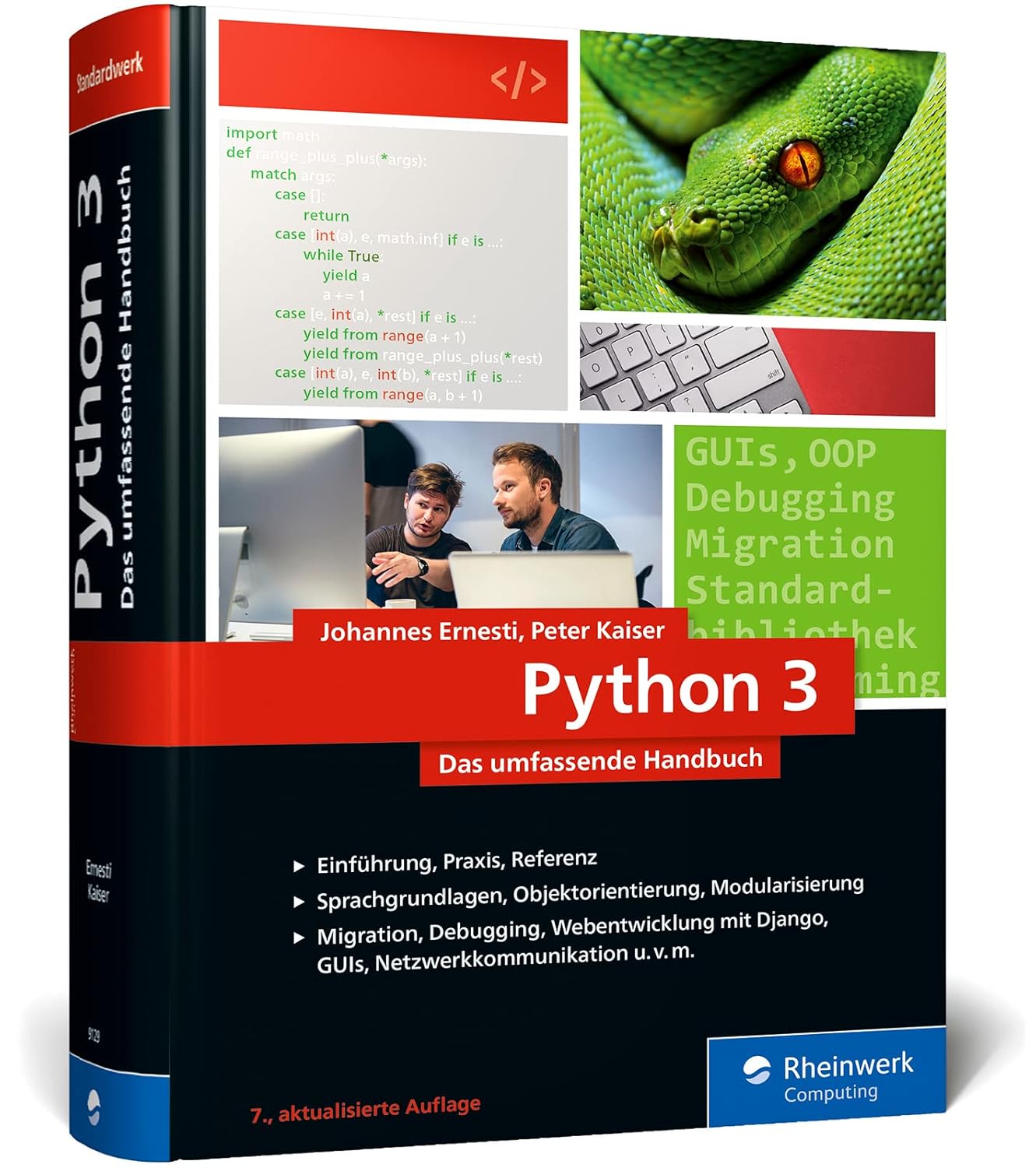
Python für Datenwissenschaft und Machine Learning
Bei Amazon ansehenAffiliate-Link: Bei einem Kauf erhalten wir möglicherweise eine Provision.
Fundamentals of Python programming with a focus on AI applications and practical examples for agent development.
Python Crash Course

Python Crash Course
Bei Amazon ansehenAffiliate-Link: Bei einem Kauf erhalten wir möglicherweise eine Provision.
Quick introduction to Python with practical projects directly applicable to AI agents.
For Advanced Developers:
Fluent Python

Fluent Python
Bei Amazon ansehenAffiliate-Link: Bei einem Kauf erhalten wir möglicherweise eine Provision.
Deep understanding of Python concepts for optimized multi-agent systems.
Effective Python
Effective Python
Bei Amazon ansehenAffiliate-Link: Bei einem Kauf erhalten wir möglicherweise eine Provision.
Best practices and patterns for robust, scalable Python applications.
Clean Code is essential reading:

Clean Code - Refactoring, Patterns, Testen und Techniken für sauberen Code: Deutsche Ausgabe
39,99 €
Bei Amazon ansehenAffiliate-Link: Bei einem Kauf erhalten wir möglicherweise eine Provision.
Alternative Programming Languages
JavaScript/TypeScript:
- Strengths: Web integration, Node.js backend
- Drawbacks: Limited AI ecosystem
- Use cases: Web-based agents, browser applications
Java:
- Strengths: Enterprise integration, performance
- Drawbacks: Complex syntax, longer development cycles
- Use cases: Enterprise applications, large-scale systems
Go:
- Strengths: Concurrency, performance, straightforward deployment
- Drawbacks: Small AI ecosystem
- Use cases: High-performance agents, microservices
Rust:
- Strengths: Memory safety, extreme performance
- Drawbacks: Steep learning curve
- Use cases: Performance-critical agent systems
Practical Recommendation
For most developers, I recommend Python as your core language with these complementary tools:
1. Python as foundation:
- LangGraph/CrewAI for agent frameworks
- OpenAI SDK for API integration
- FastAPI for web services
2. JavaScript for frontend:
- React/Vue for user interfaces
- Node.js for web integration
3. Shell scripts for automation:
- Bash/PowerShell for deployment
- Docker for containerization
This combination delivers the best balance between development speed, performance, and flexibility for modern multi-agent systems.
What are MVP and MCP Protocols?
Multi-agent systems are packed with acronyms and protocols. Two of the most important ones you’ll encounter frequently are MVP (Minimum Viable Protocol) and MCP (Model Context Protocol). These protocols are fundamental to communication between agents and AI models, but they take different approaches and pursue different goals.
Why Protocols Matter in Multi-Agent Systems
Imagine a team of specialists, each speaking different languages and using different tools. Without a shared protocol, communication would quickly become chaotic and inefficient. That’s exactly what happens in multi-agent systems when standardized communication protocols are missing.
Core problems without protocols:
- Inconsistent data formats across agents
- Missing standards for context handoff
- Security gaps from uncontrolled data flows
- Scalability issues as agent numbers grow
- Debugging difficulties in complex interactions
Model Context Protocol (MCP) — The Industry Standard
Model Context Protocol is an open standard originally developed by Anthropic and has quickly become the de-facto standard for AI applications.
What MCP actually does: MCP defines a standardized interface between AI applications and data sources. Think of it as HTTP for web applications, but optimized specifically for AI contexts.
Core MCP capabilities:
Standardized Communication:
- Unified API for different AI models (OpenAI, Claude, Llama)
- Consistent interfaces for agent integration
- Platform-independent data access
- Versioned protocol specifications
Context Management:
- Structured handoff of context information
- Efficient handling of large datasets (into the GB range)
- Intelligent filtering and prioritization
- Context compression for faster transmission
Security and Control:
- Granular, data-level access controls
- Data isolation between different agents
- Audit logging and monitoring for compliance
- Encrypted communication between components
MCP in practice:
# MCP example for agent communication
from mcp import Client, Server, Context

# Agent 1: Data access via MCP
data_client = Client("database-connection")
context = Context()
context.add_source("customer_database", max_tokens=1000)

# Agent 2: Processing via AI over MCP
ai_server = Server("openai-gpt4")
response = ai_server.process_with_context(
    prompt="Analysiere Kundendaten",
    context=context,
    model="gpt-4-turbo"
)

# MCP-backed handoff to next agent
context.add_result("analysis", response)
next_agent = Client("report-generator")
report = next_agent.generate_report(context)
Minimum Viable Protocol (MVP) — The Pragmatic Approach
In the context of multi-agent systems, MVP means more than just a minimal product. It’s a Minimum Viable Protocol — the simplest working protocol for agent communication.
What MVP actually is: MVP is a design principle that says: start with the simplest possible protocol that works, then extend it step by step based on real requirements.
MVP Principles for Agents:
1. Start simple:
- Begin with basic agent roles
- Implement only necessary communication paths
- Avoid unnecessary complexity and over-engineering
- Use proven standards (JSON, REST)
2. Iterate quickly:
- Test agent interactions early and often
- Gather feedback from real use cases
- Scale functionality incrementally
- Learn from failures and adapt
3. Focus on value:
- Solve one specific problem completely
- Avoid unnecessary features and nice-to-haves
- Concentrate on core functionality
- Prioritize user value over technical perfection
MVP in practice:
# Minimal viable multi-agent system
class SimpleAgent:
    def __init__(self, name, role):
        self.name = name
        self.role = role
        self.memory = {}

    def process_task(self, task):
        # Simple task processing
        result = f"{self.name} ({self.role}): {task}"
        self.memory[task] = result
        return result

# MVP orchestrator with simple protocol
class MVPOrchestrator:
    def __init__(self):
        self.agents = []
        self.shared_context = {}

    def add_agent(self, agent):
        self.agents.append(agent)

    def execute_workflow(self, workflow):
        results = []
        for step in workflow:
            agent = self.agents[step["agent_id"]]
            task = step["task"]

            # Simple context handoff
            context = {
                "previous_results": results,
                "shared_data": self.shared_context
            }

            result = agent.process_task(task)
            results.append(result)

            # Simple result storage
            self.shared_context[f"step_{len(results)}"] = result

        return results

# Using the MVP system
orchestrator = MVPOrchestrator()
orchestrator.add_agent(SimpleAgent("Researcher", "Anforderungsanalyse"))
orchestrator.add_agent(SimpleAgent("Developer", "Code-Entwicklung"))
orchestrator.add_agent(SimpleAgent("Tester", "Qualitätssicherung"))

workflow = [
    {"agent_id": 0, "task": "Analysiere Anforderungen"},
    {"agent_id": 1, "task": "Entwickle Code"},
    {"agent_id": 2, "task": "Teste Anwendung"}
]

results = orchestrator.execute_workflow(workflow)
Other Important Protocols in the Multi-Agent Space
Beyond MVP and MCP, several other protocols are relevant for specialized use cases:
gRPC (Google Remote Procedure Call)
Use case: High-performance microservices communication Advantages:
- Binary protocol (higher performance than JSON)
- Streaming capabilities for large datasets
- Type safety via Protocol Buffers
- Built-in load balancing
Example for multi-agent systems:
# gRPC service definition
syntax = "proto3";

service AgentService {
    rpc ProcessTask(TaskRequest) returns (TaskResponse);
    rpc StreamContext(ContextStream) returns (ContextResponse);
}

message TaskRequest {
    string agent_id = 1;
    string task = 2;
    map<string, string> context = 3;
}

message TaskResponse {
    string result = 1;
    string status = 2;
    repeated string next_steps = 3;
}
WebSocket with JSON
Use case: Real-time communication between agents Advantages:
- Bidirectional communication
- Low latency for fast interactions
- Simple implementation
- Browser-compatible
Example:
// WebSocket agent communication
const ws = new WebSocket('ws://localhost:8080/agent');

ws.onmessage = (event) => {
    const message = JSON.parse(event.data);
    if (message.type === 'task_assignment') {
        processTask(message.data);
    }
};

function sendResult(result) {
    ws.send(JSON.stringify({
        type: 'task_result',
        agent_id: 'agent_1',
        result: result
    }));
}
Apache Kafka
Use case: Event-driven architectures with many agents Advantages:
- High throughput for millions of messages
- Persistent message storage
- Partitioning for parallel processing
- Exactly-once semantics
GraphQL
Use case: Flexible data queries between agents Advantages:
- Agents request only needed data
- Typed schemas
- Single endpoint for all queries
- Introspection capabilities
Should You Learn These Protocols?
Absolutely, yes. Here’s why:
1. Career Relevance:
- Multiagent systems represent the future of software development
- Protocol expertise is in high demand across the job market
- It sets you apart from other developers
2. Technical Necessity:
- Complex systems simply won’t function without protocols
- Poor communication leads to performance bottlenecks
- Standardized interfaces mitigate security vulnerabilities
3. Scalability:
- Protocols enable you to move from prototype to production
- Team collaboration demands shared standards
- Maintainability and debugging improve dramatically
4. Future-Proofing:
- AI development keeps growing more sophisticated
- Standardization is inevitable
- Learning early saves costly rewrites later
Learning Path for Protocols
Phase 1: Foundations (1–2 weeks)
- Understand and implement REST APIs
- JSON versus XML versus Protocol Buffers
- Network communication basics
Phase 2: MVP Practice (2–3 weeks)
- Implement simple agent communication
- Context management with JSON
- Error handling and retry logic
Phase 3: MCP Mastery (3–4 weeks)
- Study the MCP specification
- Build MCP clients and servers
- Integrate with various AI models
Phase 4: Advanced Protocols (4–6 weeks)
- gRPC for performance-critical systems
- WebSocket for real-time applications
- Kafka for event-driven architectures
Practical Decision Guide
When to use each protocol:
MVP for:
- Prototyping and experimentation
- Small teams with limited resources
- Quick time to market
- Learning and validation phases
MCP for:
- Complex multiagent systems
- Integration across multiple AI models
- Enterprise applications with security requirements
- Long-term, scalable solutions
gRPC for:
- Performance-critical applications
- Microservices architectures
- Systems with many agents and high frequency
- Type-safety requirements
WebSocket for:
- Real-time interactions
- Browser-based agents
- Streaming applications
- Chat-like systems
Protocol Choice Is Strategic
Selecting the right communication protocol isn’t a minor technical detail—it’s a strategic decision that shapes your multiagent system’s future.
My recommendation: Always start with an MVP approach for quick results, but design from the outset for MCP compatibility so you can scale seamlessly later.
Investing time in protocol knowledge pays dividends long-term, since it forms the foundation for robust, scalable, and secure multiagent systems.
Practical Example:
# MCP example for agent communication
from mcp import Client, Server

# Agent 1: Data access
data_client = Client("database-connection")
context = data_client.get_context("customer_data")

# Agent 2: AI processing
ai_server = Server("openai-gpt4")
response = ai_server.process_with_context(
    prompt="Analysiere Kundendaten",
    context=context
)
Minimum Viable Product (MVP) in Multiagent Systems
In the context of multiagent systems, MVP means more than just a minimal product—it refers to a Minimum Viable Protocol: the simplest working protocol for agent communication.
MVP Principles for Agents:
1. Start Simple:
- Begin with basic agent roles
- Implement only necessary communication paths
- Avoid unnecessary complexity
2. Iterate Fast:
- Test agent interactions early
- Gather feedback from real use cases
- Scale functionality incrementally
3. Deliver Focused Value:
- Solve one specific problem completely
- Skip unnecessary features
- Focus on core functionality
Example MVP Agent System:
# Minimal viable multiagent system
class SimpleAgent:
    def __init__(self, name, role):
        self.name = name
        self.role = role

    def process_task(self, task):
        # Simple task processing
        return f"{self.name} ({self.role}): {task}"

# MVP Orchestrator
class MVPOrchestrator:
    def __init__(self):
        self.agents = [
            SimpleAgent("Researcher", "Anforderungsanalyse"),
            SimpleAgent("Developer", "Code-Entwicklung"),
            SimpleAgent("Tester", "Qualitätssicherung")
        ]

    def process_workflow(self, task):
        results = []
        for agent in self.agents:
            results.append(agent.process_task(task))
        return results
MCP versus MVP: Choosing the Right Protocol
When to Use MCP:
- Complex multiagent systems
- Integration with multiple AI models
- Enterprise applications with security requirements
- Long-term, scalable solutions
When to Use MVP Approach:
- Prototyping and experimentation
- Small teams with limited resources
- Fast time to market
- Learning and validation phases
Hybrid Approach: Start with an MVP system and scale gradually to full MCP integration:
- Phase 1 (MVP): Simple agents with direct communication
- Phase 2 (Expansion): Introduce structured protocols
- Phase 3 (MCP): Full standardization
Practical Implementation
MVP Setup for Rapid Development:
# Simple MCP-compatible structure
class MVPAgentSystem:
    def __init__(self):
        self.agents = {}
        self.context_store = {}

    def register_agent(self, name, agent):
        self.agents[name] = agent

    def add_context(self, key, data):
        self.context_store[key] = data

    def execute_workflow(self, workflow):
        context = {}
        results = []

        for step in workflow:
            agent = self.agents[step["agent"]]
            task = step["task"]
            result = agent.process(task, context)
            results.append(result)
            context.update(result.get("context", {}))

        return results
Future of Agent Protocols
Agent protocol development is advancing rapidly:
2026 Trends:
- Standardization driven by major tech companies
- Integration with cloud platforms
- Enhanced security standards
- Better performance optimization
Long-Term Vision:
- Universal agent communication
- Automatic protocol adaptation
- AI-driven protocol optimization
- Seamless integration across systems
For your projects, I recommend: Start with an MVP approach, but plan from day one for MCP compatibility so you can scale without friction later.
Is Proxmox Right for Multiagent Systems?
Proxmox Virtual Environment (VE) is an open-source virtualization platform that works well for building multiagent systems, especially when you want to run multiple AI agents on dedicated infrastructure.
What Is Proxmox VE?
Proxmox VE is a complete virtualization platform built on Debian Linux with these core capabilities:
- KVM (Kernel-based Virtual Machine) for full virtualization
- LXC (Linux Containers) for lightweight containerization
- Software-defined Storage with ZFS and Ceph
- Software-defined Networking with VLANs and bridges
- Web-based Management with no additional licensing costs
Benefits of Proxmox for Multi-Agent Systems
1. Isolation and Security:
- Each agent runs in its own VM or container
- Complete network separation between agents
- Resource limits prevent mutual interference
- Snapshots enable rapid recovery
2. Resource Management:
- CPU pinning for deterministic performance
- Memory balancing for optimal utilization
- Storage thin-provisioning for efficient data storage
- Live migration without downtime
3. Scalability:
- Up to 32 CPU cores per VM
- Up to 512 GB RAM per VM
- Unlimited number of containers
- Cluster capability for high availability
4. Cost Efficiency:
- Completely free and open source
- No licensing fees
- Community and enterprise support available
- Optimal use of existing hardware
Practical Implementation for Multi-Agent Systems
Setup for cloud-based agents:
# Proxmox Server Setup
# Hardware: 64 GB RAM, 8+ Cores, 2TB SSD

# Container for LangGraph Agent
pct create 101 local:vztmpl/debian-12-standard_12.2-1_amd64.tar.zst \
  --memory 4096 --cores 2 --net0 name=vmbr0,bridge=vmbr0 \
  --storage local-lvm --hostname langgraph-agent

# Container for CrewAI Agent
pct create 102 local:vztmpl/debian-12-standard_12.2-1_amd64.tar.zst \
  --memory 4096 --cores 2 --net0 name=vmbr0,bridge=vmbr0 \
  --storage local-lvm --hostname crewai-agent

# Container for Vector Database
pct create 103 local:vztmpl/debian-12-standard_12.2-1_amd64.tar.zst \
  --memory 8192 --cores 4 --net0 name=vmbr0,bridge=vmbr0 \
  --storage local-lvm --hostname vector-db
GPU passthrough for local models:
# IOMMU configuration for GPU passthrough
# /etc/default/grub
GRUB_CMDLINE_LINUX_DEFAULT="quiet intel_iommu=on iommu=pt"

# Load VFIO modules
echo "vfio" >> /etc/modules
echo "vfio_iommu_type1" >> /etc/modules
echo "vfio_pci" >> /etc/modules
echo "vfio_virqfd" >> /etc/modules
Proxmox vs. Alternatives
Proxmox vs. VMware vSphere:
- Proxmox: Free, open source, flexible
- VMware: Enterprise features, expensive licenses
Proxmox vs. KVM directly:
- Proxmox: Web interface, simple management
- KVM: Maximum control, complex configuration
Proxmox vs. Docker:
- Proxmox: Full VM isolation
- Docker: Lightweight, faster startup times
Hardware Requirements for Proxmox
Minimum configuration:
- CPU: 4 cores (Intel VT-x/AMD-V)
- RAM: 8 GB (16 GB recommended)
- Storage: 100 GB SSD
- Network: Gigabit Ethernet
Recommended configuration for multi-agent systems:
- CPU: 8–16 cores with hardware virtualization
- RAM: 64–128 GB ECC RAM
- Storage: 2TB NVMe SSD + 4TB HDD
- Network: 10 Gigabit Ethernet
- GPU: NVIDIA RTX 4090 (for local models)
Network Configuration for Agents
VLAN segmentation:
# VLAN 10: Agent communication
# VLAN 20: Storage access
# VLAN 30: External API connections
# VLAN 40: Management and monitoring

# Bridge configuration
auto vmbr0
iface vmbr0 inet static
    address 192.168.1.10/24
    gateway 192.168.1.1
    bridge_ports enp1s0
    bridge_stp off
    bridge_fd 0
    bridge_vlan_aware yes
    bridge_vids 2-4094
Storage Strategy
ZFS for performance:
# ZFS pool for agent data
zpool create agentpool raidz1 /dev/nvme0n1 /dev/nvme1n1 /dev/nvme2n1

# Dataset for each agent
zfs create agentpool/langgraph
zfs create agentpool/crewai
zfs create agentpool/vector-db

# Enable compression
zfs set compression=lz4 agentpool
Ceph for distributed storage:
# Ceph cluster for multiple Proxmox nodes
ceph-deploy new proxmox1 proxmox2 proxmox3
ceph-deploy mon create-initial
ceph-deploy osd create --data /dev/sdb proxmox1
Monitoring and Logging
Proxmox built-in monitoring:
# Enable metrics server
pvesh set /nodes/proxmox/metrics/server --enable 1

# Grafana integration
# Prometheus exporter for detailed metrics
# Alertmanager for notifications
Container monitoring:
# Resource limits per container
pct set 101 --memory 4096 --swap 2048 --cpu 2 --cpulimit 1024

# Live monitoring
pct enter 101
htop
iotop
nethogs
Backup Strategy
Automated backups:
# Configure backup schedule
pvesh create /vzdump/qm 101 --mode snapshot --compress zstd \
  --storage backup-storage --schedule daily --keep-last 7

# Incremental backups for large data volumes
pvesh create /vzdump/qm 102 --mode suspend --compress zstd \
  --storage backup-storage --schedule hourly --keep-last 24
Security Configuration
Firewall rules:
# Isolate agent network
pve-firewall add 102 -action ACCEPT -direction in -protocol tcp \
  -dport 8000 -source 192.168.10.0/24

# Restrict external API connections
pve-firewall add 103 -action ACCEPT -direction out -protocol tcp \
  -dport 443 -dest api.openai.com
Practical Use Cases
Scenario 1: Development cluster
- 3 Proxmox nodes with 64 GB RAM each
- 6 containers for different agent types
- Shared storage with ZFS
- Cost: approx. €3,000–5,000
Scenario 2: Production system
- 1 Proxmox server with 128 GB RAM
- GPU passthrough for local models
- Ceph storage for high availability
- Cost: approx. €8,000–12,000
Scenario 3: Enterprise setup
- 5 Proxmox nodes in a cluster
- 256 GB RAM per node
- 10Gbit network with redundancy
- Cost: approx. €25,000–40,000
Proxmox for Multi-Agent Systems
Proxmox is an excellent fit for:
- Home labs and development environments
- Small to medium-sized production systems
- Budget-conscious organizations with open source preference
- Technically experienced teams with Linux expertise
Alternatives should be considered for:
- Large enterprise requirements with 24/7 support
- Windows-centric environments
- Cloud-native architectures (AWS/Azure/GCP)
- Minimal hardware resources
For most developers and small businesses, Proxmox is the optimal choice for building powerful multi-agent systems without incurring high licensing costs while maintaining full control over infrastructure.
Should I use container systems like Docker instead of Proxmox?
The decision between Docker and Proxmox is one of the most common choices when setting up multi-agent systems. Both technologies have their place, but they serve different purposes and solve different problems.
Docker vs. Proxmox: The Fundamental Differences
Docker is a container platform:
- Lightweight virtualization at the operating system level
- Shares the host system’s kernel
- Fast startup times (seconds)
- Ideal for microservices and applications
Proxmox is a virtualization platform:
- Full virtualization at the hardware level
- Each VM has its own kernel and operating system
- Slower startup times (minutes)
- Ideal for complete systems and isolation
Docker for Multi-Agent Systems: Advantages and Disadvantages
Advantages of Docker:
Resource efficiency:
- Lower overhead than VMs
- More agents on the same hardware
- Fast scaling and deployment
Portability:
- Containers run identically everywhere
- Simple development-to-production workflow
- Cloud-native architecture
Ecosystem:
- Docker Hub with millions of images
- Kubernetes for orchestration
- Extensive tooling support
Disadvantages of Docker:
Security isolation:
- Shared kernel creates potential security risks
- No complete separation between agents
- Kernel exploits affect all containers
Hardware access:
- Limited GPU support
- Complex configuration for specialized hardware
- No direct hardware virtualization
System dependencies:
- All containers share the same host OS
- Kernel version affects all containers
- Limited choice of operating systems
Proxmox for Multi-Agent Systems: Advantages and Disadvantages
Advantages of Proxmox:
Complete Isolation:
- Each agent runs in its own VM with a dedicated OS
- Maximum security between agents
- No cross-system interference
Hardware Support:
- Direct GPU passthrough available
- Full hardware virtualization
- Support for various operating systems
Flexibility:
- Different OS for different agents
- Complete system control
- Snapshots and backups at the system level
Disadvantages of Proxmox:
Resource Overhead:
- Higher overhead from running complete VMs
- Fewer agents on the same hardware
- Slower startup times
Complexity:
- Greater administrative burden
- More complex network configuration
- Higher maintenance requirements
My Recommendation for Multi-Agent Systems
For production multi-agent systems, I recommend a hybrid approach that combines the best of both worlds. That said, everyone should test this themselves. I provision many systems with just Docker, or sometimes Coolify. If you want to understand this topic better, you’ll find a solid learning architecture here.
Recommended Architecture:
# Proxmox host with Docker containers
proxmox_host:
  vm_1: "LangGraph Orchestrator"
    - Docker Compose for agent services
    - Redis for shared memory
    - PostgreSQL for persistence

  vm_2: "CrewAI Agent Cluster"
    - Docker Swarm for scaling
    - MongoDB for document storage
    - Elasticsearch for search

  vm_3: "GPU Workstation"
    - Docker with NVIDIA Runtime
    - Jupyter Notebooks for experiments
    - TensorRT for inference
What Would You Install on a Docker System for Multi-Agent Systems?
Linux!
Base System (Host):
# Ubuntu 22.04 LTS
sudo apt update && sudo apt upgrade -y
sudo apt install -y docker.io docker-compose nvidia-container-toolkit
sudo usermod -aG docker $USER
In practice, I use Debian or Fedora 90% of the time. But Ubuntu is popular in the community, and that’s perfectly fine.
Docker Compose for Multi-Agent Systems:
Here all the tools are in one stack. You should verify passwords and ports again. No guarantees on functionality. Always protect your API keys and move them to a .env file! For demonstration purposes, I’ve included them in the environment variables.
version: '3.8'
services:
  # LangGraph Orchestrator
  langgraph-orchestrator:
    image: langgraph:latest
    container_name: orchestrator
    environment:
      - OPENAI_API_KEY=${OPENAI_API_KEY}
      - REDIS_URL=redis://redis:6379
    volumes:
      - ./data:/app/data
    depends_on:
      - redis
      - postgres
    networks:
      - agent-network

  # CrewAI Agent 1: Requirements Analyst
  crewai-analyst:
    image: crewai:latest
    container_name: requirements-analyst
    environment:
      - AGENT_ROLE=requirements_analyst
      - DATABASE_URL=postgresql://user:pass@postgres:5432/agents
    depends_on:
      - postgres
    networks:
      - agent-network

  # CrewAI Agent 2: Backend Developer
  crewai-backend:
    image: crewai:latest
    container_name: backend-developer
    environment:
      - AGENT_ROLE=backend_developer
      - DATABASE_URL=postgresql://user:pass@postgres:5432/agents
    depends_on:
      - postgres
    networks:
      - agent-network

  # Vector database for context
  chromadb:
    image: chromadb/chroma:latest
    container_name: vector-db
    volumes:
      - chroma_data:/chroma/chroma
    ports:
      - "8000:8000"
    networks:
      - agent-network

  # Redis for shared memory
  redis:
    image: redis:7-alpine
    container_name: redis
    volumes:
      - redis_data:/data
    ports:
      - "6379:6379"
    networks:
      - agent-network

  # PostgreSQL for persistence
  postgres:
    image: postgres:15-alpine
    container_name: postgres
    environment:
      - POSTGRES_DB=agents
      - POSTGRES_USER=user
      - POSTGRES_PASSWORD=pass
    volumes:
      - postgres_data:/var/lib/postgresql/data
    ports:
      - "5432:5432"
    networks:
      - agent-network

  # Monitoring
  prometheus:
    image: prom/prometheus:latest
    container_name: prometheus
    volumes:
      - ./monitoring/prometheus.yml:/etc/prometheus/prometheus.yml
    ports:
      - "9090:9090"
    networks:
      - agent-network

  # Web Interface
  grafana:
    image: grafana/grafana:latest
    container_name: grafana
    environment:
      - GF_SECURITY_ADMIN_PASSWORD=admin
    volumes:
      - grafana_data:/var/lib/grafana
    ports:
      - "3000:3000"
    networks:
      - agent-network

volumes:
  chroma_data:
  redis_data:
  postgres_data:
  grafana_data:

networks:
  agent-network:
    driver: bridge
I think this covers the best stack. Not everyone will use Chroma, but everything here is useful when you’re getting started.
Additional Tools and Services:
1. Kubernetes for Orchestration: Maybe not the first thing you should dive into, but it’s an important consideration.
# MicroK8s for simple Kubernetes installation
sudo snap install microk8s --classic
sudo microk8s enable dns storage ingress
2. NVIDIA Container Runtime: Only relevant if you’re not running a CPU-only setup.
# GPU support for Docker
distribution=$(. /etc/os-release;echo $ID$VERSION_ID)
curl -s -L https://nvidia.github.io/nvidia-docker/gpgkey | sudo apt-key add -
curl -s -L https://nvidia.github.io/nvidia-docker/$distribution/nvidia-docker.list | sudo tee /etc/apt/sources.list.d/nvidia-docker.list
sudo apt-get update && sudo apt-get install -y nvidia-docker2
sudo systemctl restart docker
3. Monitoring and Logging: I’m always exploring and testing monitoring tools. The key is finding something simple and manageable.
# docker-compose.monitoring.yml
version: '3.8'
services:
  elasticsearch:
    image: docker.elastic.co/elasticsearch/elasticsearch:8.8.0
    environment:
      - discovery.type=single-node
      - xpack.security.enabled=false
    volumes:
      - elasticsearch_data:/usr/share/elasticsearch/data
    ports:
      - "9200:9200"

  kibana:
    image: docker.elastic.co/kibana/kibana:8.8.0
    environment:
      - ELASTICSEARCH_HOSTS=http://elasticsearch:9200
    ports:
      - "5601:5601"
    depends_on:
      - elasticsearch

  logstash:
    image: docker.elastic.co/logstash/logstash:8.8.0
    volumes:
      - ./logstash/pipeline:/usr/share/logstash/pipeline
    ports:
      - "5044:5044"
    depends_on:
      - elasticsearch
Despite all this detail, the honest answer remains: it depends. Here’s one more decision-making framework to help.
Practical Decision Guide
Choose Docker if:
- You want to prototype quickly
- You prefer cloud-native architecture
- You want to run many small agents on the same hardware
- Portability and fast deployment matter
Choose Proxmox if:
- You need maximum security between agents
- You want to use different operating systems
- You need direct hardware access (GPU)
- Complete system control is essential
Choose the hybrid approach if:
- You want the benefits of both
- Different agents have different requirements
- Scalability and security are equally important
Experiment with all of them if this topic interests you.
Cost-Benefit Analysis
The costs mentioned here are estimates based on shopping carts I regularly compile but never quite get around to purchasing.
Docker-Only Setup:
- Hardware: 1 server (€2,000–5,000)
- Software: Free (Community Edition)
- Maintenance: Low to moderate
- Scaling: Simple with Kubernetes
Proxmox-Only Setup:
- Hardware: 1–3 servers (€5,000–15,000)
- Software: Free
- Maintenance: Moderate to high
- Scaling: More complex but flexible
Hybrid Setup:
- Hardware: 2–4 servers (€8,000–20,000)
- Software: Free
- Maintenance: High
- Scaling: Optimal for all requirements
There will always be someone celebrating a €700 setup or proposing different configurations. Ultimately, you need to test your chosen AI/LLM model on your hardware and see whether you can—and actually want to—work with it productively. As I’ve emphasized, if you work with fast APIs daily, you’ll go crazy with slow local models.
My Personal Recommendation
For most multi-agent systems, I suggest this progression:
Phase 1 (Prototyping): Docker on a single server Phase 2 (Production): Proxmox with Docker containers in VMs Phase 3 (Scaling): Kubernetes cluster on Proxmox infrastructure (eventually)
This approach gives you Docker’s flexibility combined with Proxmox’s security and isolation. That said, if you’re just starting out, a simple Linux installation with local agents is enough. That’s what I’m currently running here as well.
Why Upgrading an Old PC Often Isn’t Worth It
Most of us have an aging computer sitting around somewhere, or our current machine might be a legacy system.
Should I upgrade my old PC for AI or just buy a new system?
With multi-agent systems and AI development, this decision directly impacts both performance and overall costs.
You’ll ask yourself this question regularly, and I’ll tell you the most important follow-up question: “Will this setup generate revenue, or is it just an expensive hobby?” But let’s stick with the main point: old versus new, and spoiler alert—old never wins.
The Mac Pro Trashcan: A Case Study
My own 2013 Mac Pro, affectionately known as the “Trashcan,” is the perfect example of the upgrade dilemma. This machine was once a premium workstation worth over €5,000; today you can find them for under €500.
My 2013 Mac Pro specs:
- Intel Xeon E5-1620 v2 (4 cores, 8 threads, 3.7 GHz)
- 64 GB DDR3 ECC RAM
- 512 GB SSD
- AMD FirePro D300 (2 GB VRAM)
- Thunderbolt 2, USB 3.0
GPU Upgrade Options for the Mac Pro Trashcan
GPU capability matters significantly because even small 8B models can become a performance bottleneck when running on the CPU alone.
The biggest challenge with the 2013 Mac Pro is GPU upgrading. Unlike standard PCs, Apple imposed specific constraints:
Technical Limitations:
- PCIe 2.0 x16 instead of modern PCIe 3.0/4.0
- Physical space restricted by the chassis design
- Power supply only 300W for the entire system
- Cooling relies on passive airflow through the enclosure
Possible GPU Upgrades:
AMD Radeon RX 580
](https://m.media-amazon.com/images/I/61d5NOgus1L._AC_SL1500_.jpg)
[AMD Radeon RX 580](https://amzn.to/44fq1li)
Bei Amazon ansehenAffiliate-Link: Bei einem Kauf erhalten wir möglicherweise eine Provision.
- VRAM: 8 GB GDDR5
- Performance: Sufficient for small AI models (7B–13B parameters)
- Power consumption: 150W (fits within the 300W budget)
- Price: around €200–300 secondhand
An RX 580 in the Trashcan only works as an eGPU over Thunderbolt 2, which limits bandwidth.
So I lean toward: D300 (2×2 GB VRAM): Not enough VRAM for modern LLMs. Models mostly run through system RAM and CPU. D500 (2×3 GB VRAM): Slightly better, but still tight. D700 (2×6 GB VRAM): The most interesting option for local AI on the Trashcan.
7B–8B models: work well 12B–14B models: usable, but slower 30B+ models: possible with aggressive quantization and patience 70B models: technically feasible sometimes, but not pleasant for daily use
NVIDIA GeForce GTX 1080 Ti

NVIDIA GeForce GTX 1080 Ti
Bei Amazon ansehenAffiliate-Link: Bei einem Kauf erhalten wir möglicherweise eine Provision.
- VRAM: 11 GB GDDR5X
- Performance: Good for medium-sized models (13B–30B parameters)
- Power consumption: 250W (pushing the system limit)
- Price: around €300–400 secondhand
Important note: The onboard AMD FirePro D300 becomes essentially useless after upgrading, since modern GPUs handle all graphics processing.
Cost-Benefit Analysis: Mac Pro Upgrade vs. New Purchase
Mac Pro Upgrade Costs:
- GPU upgrade: €200–400
- RAM upgrade (if needed): €100–200
- SSD upgrade: €80–150
- Total: €380–750
Performance Outcome:
- Medium-sized AI models become possible
- Limited by PCIe 2.0 bandwidth
- No modern features (Ray Tracing, DLSS)
Alternative: MINISFORUM AI X1-255
](https://m.media-amazon.com/images/I/61APMy4o77L._AC_SL1500_.jpg)
[MINISFORUM AI X1-255 Mini-PC](https://amzn.to/4eklSBq)
Bei Amazon ansehenAffiliate-Link: Bei einem Kauf erhalten wir möglicherweise eine Provision.
Specifications:
- AMD Ryzen 7 255 (8 cores, 16 threads, 4.9 GHz)
- 32 GB DDR5 RAM
- 512 GB NVMe SSD
- No dedicated GPU (but external GPU possible)
- Price: around €800–1,200
Detailed Comparison: Mac Pro vs. MINISFORUM AI X1-255
| Criteria | Mac Pro 2013 (upgraded) | MINISFORUM AI X1-255 |
|---|---|---|
| CPU | Intel Xeon E5-1620 v2 (4 cores, 3.7 GHz) | AMD Ryzen 7 255 (8 cores, 4.9 GHz) |
| RAM | 64 GB DDR3 ECC | 32 GB DDR5 |
| GPU | GTX 1080 Ti (11 GB VRAM) | External GPU via USB4 |
| Storage | 512 GB SATA SSD | 512 GB NVMe SSD |
| PCIe | 2.0 x16 (limited) | USB4/Thunderbolt (modern) |
| Power consumption | 300W system total | 65W system + GPU |
| Cost | €380–750 (upgrade) | €800–1,200 (new) |
| Warranty | None | 2 years |
Performance Comparison for AI Workloads
Cloud-based Multi-Agent Systems:
- Mac Pro: Well-suited (CPU is sufficient)
- MINISFORUM: Well-suited (modern CPU)
Small Local Models (7B–13B Parameters):
- Mac Pro: Good with GTX 1080 Ti
- MINISFORUM: Good with external RTX 4060
Medium Local Models (30B–70B Parameters):
- Mac Pro: Limited by PCIe 2.0
- MINISFORUM: Better with modern external GPU
Large Local Models (100B+ Parameters):
- Mac Pro: Not recommended
- MINISFORUM: Possible with external RTX 4090
Long-Term Considerations
Mac Pro Drawbacks:
- Aging architecture: PCIe 2.0, DDR3 RAM
- Parts availability: Expensive and hard to find
- Power efficiency: High consumption for modest performance
- Future-proofing: No further updates from Apple
MINISFORUM Advantages:
- Modern architecture: DDR5, USB4, NVMe
- Energy efficiency: Low power draw
- Upgrade potential: External GPU, additional RAM possible
- Support: 2-year warranty, community backing
Cost breakdown: 3-year total comparison
Mac Pro scenario:
- Purchase: €500 (used)
- Upgrade: €500
- Power consumption (3 years): €540 (180W/hr)
- Total: €1.540
MINISFORUM scenario:
- Purchase: €1.000
- External GPU: €600 (RTX 4060)
- Power consumption (3 years): €216 (72W/hr)
- Total: €1.816
Difference: Just €276 more for significantly better performance and longevity!
When upgrading an older PC makes sense
Upgrade is worth considering when:
- Budget is very tight (under €500)
- You have specific software needs (particular compatibility requirements)
- You already own the hardware (it’s on hand)
- You’re experimenting (learning, prototyping)
Upgrade is NOT worth it when:
- Running AI-heavy workloads (local models)
- Long-term use planned (>2 years)
- Performance is critical (demanding tasks)
- Modern software is required (current tool requirements)
My recommendation based on hands-on experience
After running my 2013 Mac Pro extensively for AI development, here’s what I recommend:
For cloud-based multi-agent systems:
- Mac Pro 2013 is sufficient and cost-effective
- CPU and RAM handle API calls well
- No GPU upgrade necessary
For local AI models:
- MINISFORUM AI X1-255 is the better choice
- Newer architecture and better long-term viability
- More flexible GPU expansion options
Compromise approach:
- Keep the Mac Pro for cloud work
- Add an external GPU for experimentation
- Invest in a modern system later
The upgrade trap
The Mac Pro Trash Can is an interesting piece of tech history and still useful for certain purposes. For modern AI development and multi-agent systems, however, it’s not a future-proof investment.
The lesson: Sometimes buying a new system is cheaper in the long run than upgrading an old one, especially when you’re working with modern technologies like AI and parallel processing.
For most developers building multi-agent systems, investing in a modern machine like the MINISFORUM AI X1-255 is the smarter choice—better performance, lower power costs, and genuine future-proofing.
Serious AI systems for 2026
As I write this article with a focus on agents, I’d feel remiss recommending only the budget-friendly mini-PCs. They’re excellent at their price point, though even those stretch plenty of budgets. But if you’re already spending serious money, you should look at top-tier options up to €6000. That way you can make an informed purchasing decision.
If you want to run AI systems locally—not just for demos, but in production—you need the right hardware. Here are my current recommendations that won’t require taking out a loan.
This is really about AI agents, but since I’ve already mentioned older machines and mini-PCs, I should at least draw some proper distinctions.
In the end, it always comes down to budget. Under €1000, the money is almost too valuable to spend. At €1600+, you start getting genuinely capable systems. At €2000+, serious hardware becomes available, with excellent options up to around €6000.
If you’re serious: NVIDIA DGX Spark and Dell Pro Max
These two machines are currently the best you can buy as an individual or small team without running your own data center.
NVIDIA DGX Spark – Personal AI Desktop Supercomputer

NVIDIA DGX Spark Personal AI Supercomputer with GB10 Grace Blackwell
Bei Amazon ansehenAffiliate-Link: Bei einem Kauf erhalten wir möglicherweise eine Provision.
The DGX Spark isn’t a regular mini-PC—it’s a complete AI supercomputer in desktop form. The Grace Blackwell GB10 chip gives you datacenter-grade architecture in a compact footprint. For local models, fine-tuning, and demanding agent systems, it’s currently the most serious compact solution on the market.
Dell Pro Max with GB10 – 128 GB RAM, 4 TB SSD

Dell Pro Max with GB10 – 128 GB RAM, 4 TB NVMe, NVIDIA Blackwell
Bei Amazon ansehenAffiliate-Link: Bei einem Kauf erhalten wir möglicherweise eine Provision.
The Dell variant uses the same GB10 Grace Blackwell Superchip and pairs it with 128 GB RAM and 4 TB NVMe storage—enough to run large models continuously. Wi-Fi 7, 10 GbE, and Bluetooth are built in. A solid choice if you want a turnkey solution with no compromises.
Mini-PC pick: GMKtec EVO-X2 with Ryzen AI Max+ 395
If you’re not ready to spend several thousand euros but still want to work seriously with local AI models, the Ryzen AI Max+ 395 (Strix Halo) is currently one of the best value architectures available.
Among standard Windows mini-PCs, anything built around the AMD Ryzen AI Max+ 395 (Strix Halo) currently leads the pack.
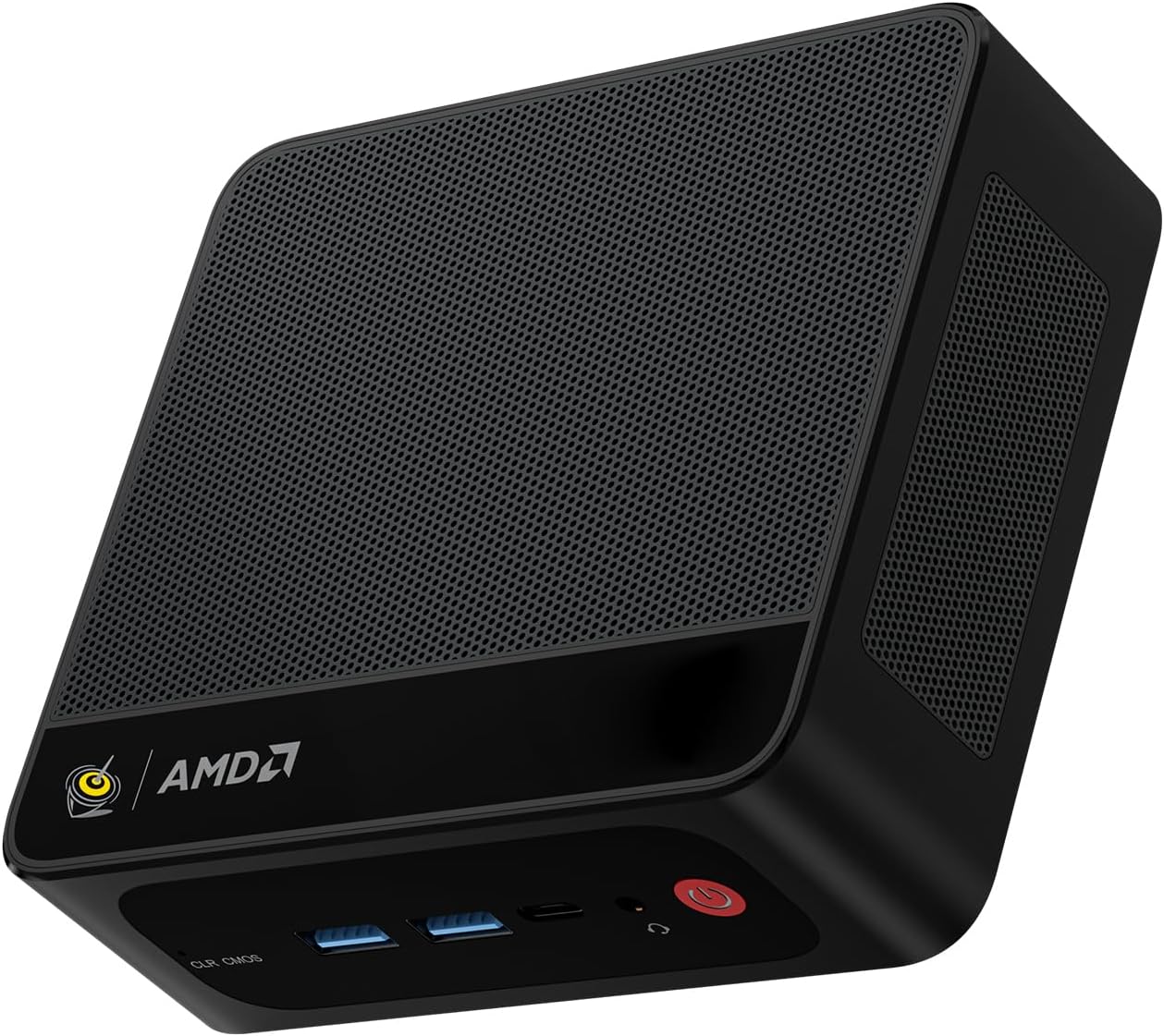
GMKtec EVO-X2 – AMD Ryzen AI Max+ 395, 64 GB RAM, 1 TB SSD
Bei Amazon ansehenAffiliate-Link: Bei einem Kauf erhalten wir möglicherweise eine Provision.
What you’re getting:
- Ryzen AI Max+ 395 – 16 cores / 32 threads
- Radeon 8060S with 40 compute units
- 64 GB LPDDR5X unified memory – shared directly with the GPU
- Wi-Fi 7, USB4, 2.5 GbE
The real advantage isn’t the NPU; it’s the combination of 64 GB shared RAM and fast memory bandwidth. This lets models like Llama 3.3 70B (quantized), Qwen 3, or DeepSeek R1 run locally far better than on typical mini-PCs with 32 GB RAM.
What to know: Under full load, the system gets noticeably loud. The RAM is soldered and not upgradeable.
My take: At around €2.000, there’s barely a better mini-PC right now if your focus is local LLMs, AI development, coding, or video editing. You only need the DGX Spark or Dell Pro Max if you’re actually running very large models (70B+ continuously) or serious production AI workloads.
Open Source vs. commercial solutions: choosing the right path
The decision between open source and commercial platforms significantly shapes your development workflow and operating costs.
Open source frameworks
Open source frameworks like LangGraph, CrewAI, AutoGen, and Camel offer maximum flexibility and control, but require more technical effort to set up and maintain.
Advantages:
- No licensing costs: Complete cost control
- Customizable: Source code can be modified
- Community support: Large developer communities
- Independence: No vendor lock-in
Drawbacks:
- Your responsibility: You handle maintenance and updates
- Integration overhead: More work to get everything running
- No professional support: Community-driven help only
Commercial platforms
Commercial platforms like OpenAI Agents and enterprise agent systems offer professional support and straightforward integration, but typically cost more and offer less flexibility.
Advantages:
- Professional support: Help when you need it
- Easy integration: Ready-to-use solutions
- Scalability: Enterprise-grade features
- Security: Professional-grade standards
Drawbacks:
- Ongoing costs: Subscription or usage fees
- Dependency: Vendor lock-in risk
- Limited customization: Less flexibility overall
Systems I’d only recommend with reservations today
Based on current experience and developments, I’d suggest the following systems only for specific use cases:
AgentVerse
AgentVerse is designed primarily for research and academic projects, but offers limited practical value for production applications.
- Geared toward research: Academic approach with minimal real-world relevance
- Niche use cases: Suitable only for academic projects
Camel AI
Camel AI is an experimental research platform with interesting concepts, but it’s not yet ready for production use in client projects.
- Research platform: Intriguing ideas, but not production-ready
- Experimental: Unsuitable for real-world client work
Unmaintained legacy AutoGen projects
Outdated AutoGen projects without active maintenance should be avoided, since modern alternatives offer significantly better features and compatibility.
- Outdated: Modern alternatives provide superior features
- Compatibility: Issues with current Python versions
Memory-free, prompt-only agent systems
Systems without shared memory are only practical for simple tasks, as they can’t maintain persistent state or enable complex collaboration.
- No persistence: No shared context between agents
- Limited capability: Restricted to basic tasks
Looking ahead: Where is Agentic AI heading?
AI agent system development is advancing rapidly and showing clear trends:
2023: Chatbots dominated the landscape
- Simple question-answer systems
- Single-user interaction
- Limited functionality
2024: First generation of agents
- Task-based automation
- Basic tool integration
- Single-agent applications
2025-2026: Multi-agent teams emerge
- Multi-agent systems become production-ready
- Specialized agents collaborate effectively
- Orchestration becomes critical
2027+: Digital development teams
- Autonomous systems tackle complex projects
- AI-powered enterprises take shape
- Human-AI collaboration becomes standard
Over the next few years, we may see software development shift from individual AI agents to entire digital development teams that autonomously handle complex projects from requirements analysis through maintenance.
Your next steps
Multi-agent systems are transitioning from academic research to a serious tool for software development.
Most developers don’t need high-end hardware. A mini PC or older server is sufficient as long as you’re using powerful language models via Cloud APIs.
If you want to build a production-grade multi-agent system today, focus on LangGraph, OpenClaw, and CrewAI. These frameworks strike the best balance between functionality, community support, and production readiness.
The real challenge isn’t hardware—it’s orchestrating meaningful collaboration between agents. That’s where you separate a high-performing development team from a collection of chatbots running in parallel.
My recommendation for getting started:
- Begin with cloud models and a mini PC
- Choose LangGraph for complex projects or CrewAI for rapid prototyping
- Implement shared memory with a vector database
- Design a clear orchestration strategy
- Start with a small project and scale incrementally
This will prepare you well for the future of software development with Agentic AI.

Common exam questions on multi-agent systems
Fundamentals
-
What’s the difference between a single agent and a multi-agent system? A single agent works autonomously, while a multi-agent system consists of multiple specialized agents collaborating together.
-
Explain the term Agentic AI. Agentic AI is an umbrella term for AI systems that complete tasks independently. Multi-agent systems represent one subset of this category.
-
What role does the orchestrator play in a multi-agent system? The orchestrator coordinates collaboration, distributes tasks, and controls communication between agents.
Technical aspects
-
Why is shared memory important for agents? Without shared memory, agents operate in isolation and can’t access or learn from each other’s work.
-
What hardware is needed for cloud-based multi-agent systems? A mini PC with 32 GB of RAM is sufficient, since computation happens in the cloud.
-
Name three important vector databases for agent systems. Qdrant, Weaviate, Chroma, Pinecone.
Practical application
-
Describe a typical multi-agent team for software development. Requirements analysis, architecture, backend, frontend, QA, documentation—each agent specialized in its domain.
-
Which frameworks do you recommend for production projects? LangGraph for complex systems, OpenClaw for modern architectures, CrewAI for rapid prototyping.
-
What are the main advantages of multi-agent systems? Parallel work, specialization, better results, scalability.
Essential sources and further reading
Official documentation
- LangGraph Documentation - Official guide and examples
- CrewAI GitHub - Source code and tutorials
- OpenAI Agents SDK - OpenAI framework
Research papers
- AutoGen: Enabling Next-Gen Large Language Model Applications - Microsoft Research
- MetaGPT: Software Company as Multi-Agent - Stanford Research
Practical tutorials
- Building Multi-Agent Systems with LangGraph - LangChain tutorials
- CrewAI Examples - Practical examples
Community resources
- LangChain Discord - Active community
- Reddit r/MultiAgentSystems - Discussions and news
Recommended reading: AI and agent systems
Keine Bücher für Kategorie "ki-agenten" gefunden.
More AI agent articles
Agentic AI and multi-agent systems represent the future of software development. These articles will help you understand and apply every aspect of AI agents in practice.
Foundations and concepts
- Vibecoding: AI-powered programming - Learn the fundamentals of AI-assisted development
- AI programming: Introduction and best practices - Comprehensive guide to AI development
Frameworks and tools
- LangGraph tutorial: Step-by-step guide - Practical introduction to LangGraph
- CrewAI examples: Building agent teams - Real-world examples with CrewAI
Advanced Topics
- Agent Orchestration: Best Practices - Advanced techniques
- Vector Databases for Agent Systems - Storage solutions for AI agents
FAQ: Multi-Agent Systems and AI Agents
What’s the difference between agentic AI and multi-agent systems?
Agentic AI is the umbrella term for AI systems that complete tasks autonomously. Multi-agent systems represent a specialized subset where multiple specialized agents collaborate to solve complex problems.
What hardware do I need for cloud-based multi-agent systems?
A mini PC with an AMD Ryzen 7 or Intel i7, 32 GB RAM, and 1 TB SSD suffices for cloud-based multi-agent systems. The actual computation happens in the cloud via APIs like OpenAI, Claude, or Gemini.
Is LangGraph, CrewAI, or OpenClaw better for beginners?
CrewAI offers the fastest ramp-up with straightforward configuration. LangGraph is more powerful but steeper in complexity. OpenClaw is modern but still young. For beginners, I’d recommend CrewAI for your first projects and LangGraph once you tackle complex applications.
How much does a good mini PC for AI agent development cost?
A solid mini PC for AI agent development runs €500–800. Good options include Intel NUC, Beelink, or Minisforum models with 32 GB RAM and a modern processor. Running local models requires higher investment.
Which vector database is best for agent systems?
Qdrant delivers strong performance with Rust-based security. Weaviate enables GraphQL queries. Chroma is simple for Python developers. Pinecone is cloud-hosted and scales easily. Your choice depends on your specific requirements.
Can I run AI agents on an old Mac Pro Trashcan?
Yes, the 2013 Mac Pro actually works well for cloud-based agent systems. With up to 64 GB RAM and many CPU cores, secondhand units often cost under €500. It’s unsuitable for local model deployment, however.
What is an orchestrator in multi-agent systems?
The orchestrator coordinates collaboration between agents. It distributes tasks, prioritizes workflows, handles events, and manages communication. Without an orchestrator, agents often work inefficiently and without direction.
How much RAM do I need for local AI models?
Small models (7B–13B parameters): 32 GB RAM. Medium models (30B–70B): 64 GB RAM. Large models (100B+): 128 GB RAM or more. You’ll also want VRAM on your GPU for optimal performance.
Which GPU is best for local multi-agent systems?
The NVIDIA RTX 4090 with 24 GB VRAM is currently the top choice for local models. The RTX 4080 or 4070 Ti offer solid value. You’ll want at least 16 GB VRAM for medium-sized models.
Are open source or commercial agent frameworks better?
Open source frameworks like LangGraph and CrewAI give you full control and no licensing fees. Commercial solutions like OpenAI Agents offer professional support and simpler integration. For developers, I’d lean toward open source for maximum flexibility.
How expensive are cloud AI APIs for multi-agent systems?
OpenAI GPT-4: roughly $0.03–0.06 per 1K tokens. Claude 3: roughly $0.015–0.075 per 1K tokens. Budget €50–200 monthly for a small multi-agent system, depending on usage and agent count.
Can I use AI agents without programming knowledge?
Simple agents are possible without code using no-code platforms. Complex multi-agent systems need Python skills. CrewAI is the gentlest entry point for developers with basic Python knowledge.
What programming languages are used for agent frameworks?
Python dominates with LangGraph, CrewAI, and AutoGen. JavaScript is used for web-based agents. Some frameworks support TypeScript for better type safety. Rust powers performance-critical components.
How secure are multi-agent systems for enterprise data?
Cloud models send data to external servers. Local models offer maximum data security. Enterprise solutions like Azure OpenAI provide private instances. For sensitive company data, I’d recommend local models or private cloud deployments.
What are the main benefits of multi-agent systems?
Parallel work accelerates development cycles. Specialized agents produce higher-quality results. Scalability handles complex projects. Better error handling via dedicated testing agents. Continuous documentation throughout development.
What books on multi-agent systems do you recommend?
“Multi-Agent Systems: A Modern Approach” covers theoretical foundations. “Building Applications with LangGraph” shows practical implementation. “The AI Agent Handbook” works well for newcomers. Look for framework-specific books on CrewAI and OpenAI Agents too.
How do I scale multi-agent systems for large teams?
Use Docker for reproducible environments. Kubernetes handles horizontal scaling. Load balancers distribute API traffic. Shared vector databases enable knowledge exchange. Monitor with Prometheus and Grafana.
What mistakes should beginners avoid with multi-agent systems?
Over-engineering architecture for simple tasks. Missing shared storage between agents. Poor error handling. Unclear role assignments. No monitoring or logging. Overlooking security concerns.
How do I test multi-agent systems effectively?
Unit tests for individual agents. Integration tests for agent cooperation. End-to-end tests for complete workflows. Mock APIs for consistent test environments. Performance tests for scalability. Security tests for data protection.
What role does machine learning play in agent systems?
LLMs provide the foundation for language understanding. Machine learning optimizes agent decisions. Reinforcement learning refines agent strategies. Vector databases enable semantic search. Fine-tuning adapts models to specific domains.
Can I use multi-agent systems in mobile apps?
Yes, with limitations. Mobile apps typically use cloud APIs for agent logic. On-device models like MobileLLM enable offline functionality. React Native or Flutter handle cross-platform development. Backend APIs support complex agent workflows.
How do I integrate multi-agent systems into existing projects?
Start with gradual integration of individual agents. Use an API gateway for agent communication. Connect legacy systems via adapters. Integrate databases for shared storage. Monitor performance continuously. Roll out using feature flags.
What future trends in multi-agent systems matter?
Autonomous agent teams become the norm. Industry-specific agents emerge. AI-driven companies become reality. Human-AI collaboration improves. Real-time orchestration grows critical. Edge computing enables local agents.
How do I find the right agent roles for my project?
Analyze your development workflow. Identify recurring tasks. Define clear responsibilities. Create agent role profiles. Test with small teams. Refine role distribution based on results. Factor in human expertise.
Which monitoring tools suit multi-agent systems?
Prometheus and Grafana for metrics. ELK Stack for logging. Jaeger for tracing agent communication. Custom dashboards for agent performance. Alerting for system failures. Cost monitoring for cloud APIs.
How do I protect my multi-agent systems from security risks?
API authentication with OAuth 2.0. Input validation against prompt injection. Rate limiting against misuse. Encryption for data transmission. Access control for agent permissions. Regular security audits and penetration tests.
Nearly perfect hardware for your AI agents
or let’s say, pretty solid hardware for your AI agents.
🖥️ Mini PCs for cloud-based multi-agent systems
Top recommendation for developers:
Intel NUC 13 Pro

Intel NUC 13 Pro
Bei Amazon ansehenAffiliate-Link: Bei einem Kauf erhalten wir möglicherweise eine Provision.
Ideal for LangGraph & CrewAI with modern Intel architecture and excellent performance.
Beelink SER5
Beelink SER5
Bei Amazon ansehenAffiliate-Link: Bei einem Kauf erhalten wir möglicherweise eine Provision.
Great value for getting started with AI development.
MINISFORUM AI X1-255
MINISFORUM AI X1-255 Mini-PC
Bei Amazon ansehenAffiliate-Link: Bei einem Kauf erhalten wir möglicherweise eine Provision.
MINISFORUM AI X1-255 Mini-PC, AMD Ryzen 7 255 (8 cores/16 threads, up to 4.9 GHz), 32 GB DDR5 RAM, 512 GB M.2 SSD, HDMI/DP/USB4 with 4K@120 Hz, 2.5G LAN, Wi-Fi 7, Bluetooth 5.4, OCuLink support
Why these mini PCs are nearly ideal for developers:
✅ 32 GB DDR5 RAM – Perfect for parallel agent processing
✅ Modern processors – Fast execution of Python frameworks
✅ USB4/Thunderbolt – High-speed connectivity to external GPUs
✅ Wi-Fi 7 & 2.5G LAN – Stable cloud API connections
✅ Compact form factor – Space-efficient for home office or workspace
✅ Energy efficient – Lower operating costs than tower PCs
Books for AI agent development
For beginners:
The AI Agent Handbook
The AI Agent Handbook
Bei Amazon ansehenAffiliate-Link: Bei einem Kauf erhalten wir möglicherweise eine Provision.
A practical introduction to programming and building AI agents, with concrete examples and step-by-step guides.
- “Building Applications with LangGraph” – Step-by-step tutorial
For advanced users:
Multi-Agent Systems: A Modern Approach
Multi-Agent Systems: A Modern Approach
Bei Amazon ansehenAffiliate-Link: Bei einem Kauf erhalten wir möglicherweise eine Provision.
Comprehensive theoretical foundations and advanced concepts for complex multi-agent systems.
- “Advanced LangGraph Patterns” – Professional techniques
Additional products
For local models:
NVIDIA GeForce RTX 4090 Founders Edition
NVIDIA GeForce RTX 4090 Founders Edition
Bei Amazon ansehenAffiliate-Link: Bei einem Kauf erhalten wir möglicherweise eine Provision.

Langlebige Software-Architekturen: Technische Schulden analysieren, begrenzen und abbauen Broschiert – 18. April 2024
49,90 €
Bei Amazon ansehenAffiliate-Link: Bei einem Kauf erhalten wir möglicherweise eine Provision.
Why a good GPU is critical for local AI models:
Massive parallel processing – Thousands of compute cores for simultaneous matrix operations
24 GB GDDR6X VRAM – Space for large models (30B+ parameters)
Tensor Cores – Specialized hardware for AI computations
CUDA optimization – Maximum performance with PyTorch/TensorFlow
Bandwidth – 1000+ GB/s for fast data transfer
VRAM is critical for:
-
Model size: 7B models → 8GB VRAM, 30B models → 24GB VRAM
-
Batch processing: Handle multiple requests simultaneously
-
Fine-tuning: Adapt models to specific tasks
-
Multi-agent workflows: Run multiple agents in parallel
-
64 GB RAM kits – For medium to large models
-
2TB NVMe SSDs – Fast data storage
For professional setups:
- Docker Pro Subscription – Container management
- GitHub Copilot – AI-powered development
- AWS/GCP Credits – Cloud infrastructure
Your next steps
Multi-agent systems are evolving from a research discipline into a serious tool for software development.
If you want to start building multi-agent systems now, I recommend this approach:
1. Start with cloud-based systems:
- Use LangGraph or CrewAI with OpenAI/Claude APIs
- Begin with a mini PC (32 GB RAM)
- Experiment with simple agent teams
2. Build competency incrementally:
- Implement shared memory with vector databases
- Develop a basic orchestrator
- Test different agent roles
3. Expand to production systems:
- Invest in better hardware as needed
- Implement monitoring and logging
- Scale across multiple agents and devices
The technology is ready for production use, and anyone starting now will have a clear competitive advantage in the upcoming AI-driven development landscape.
25 ideas for multi-agent systems: From code to security
Multi-agent systems can be applied to almost any domain. Here are 25 practical ideas, organized by use case, with detailed explanations of architecture and strategic reasoning.
Software development (8 ideas)
1. Automated code review agents
- Architecture: Four specialized agents (syntax checker, security scanner, performance analyzer, documentation validator)
- Why this approach: Each agent checks specific aspects independently and in parallel
- Implementation: LangGraph with GitHub Actions integration
2. Bug finding and fixing system
- Architecture: Bug detector, root-cause analyzer, code fixer, test generator
- Why this approach: A causal chain from problem identification to automated resolution
- Implementation: CrewAI with OpenAI Code Interpreter
3. Automated refactoring agents
- Architecture: Code analyzer, pattern matcher, refactoring planner, code transformer
- Why this approach: Systematic improvements without losing functionality
- Implementation: OpenClaw with AST parsing
4. API testing and documentation generator
- Architecture: API explorer, test-case generator, documentation writer, validator
- Why this approach: Complete API coverage from discovery to documentation
- Implementation: LangGraph with Postman integration
5. Legacy code modernization
- Architecture: Code analyzer, language translator, pattern modernizer, test validator
- Why this approach: Gradual modernization with built-in quality assurance
- Implementation: CrewAI with multi-language support
6. Continuous integration pipeline
- Architecture: Build agent, test agent, security scanner, deployment agent
- Why this approach: Fully automated CI/CD with integrated quality checks
- Implementation: LangGraph with Jenkins/GitHub Actions
7. Database schema optimizer
- Architecture: Schema analyzer, query optimizer, index recommender, migration planner
- Why this approach: Optimize database performance with minimal disruption
- Implementation: OpenClaw with database connectors
8. Microservices architecture generator
- Architecture: Requirements analyzer, service designer, API generator, deployment planner
- Why this approach: Transition from monolith to microservices with automated planning
- Implementation: CrewAI with Kubernetes integration
Security and Compliance (7 Ideas)
9. Security Vulnerability Scanner
- Architecture: Code scanner, network analyzer, threat assessor, report generator
- Why this approach: Layered security analysis for comprehensive protection
- Implementation: LangGraph with OWASP Top 10 integration
10. GDPR Compliance Checker
- Architecture: Data-flow analyzer, legal rule engine, gap detector, remediation planner
- Why this approach: Automated compliance checks with concrete improvement suggestions
- Implementation: CrewAI with legal knowledge base
11. Penetration Testing System
- Architecture: Recon agent, exploit scanner, vulnerability assessor, report writer
- Why this approach: Automated security checks that mimic human pentester workflows
- Implementation: OpenClaw with Metasploit integration
12. Fraud Detection System
- Architecture: Pattern detector, anomaly analyzer, risk assessor, alert generator
- Why this approach: Real-time detection of fraud patterns with machine learning
- Implementation: LangGraph with machine learning pipeline
13. Security Incident Response
- Architecture: Incident detector, threat analyzer, containment planner, recovery agent
- Why this approach: Rapid response to security events with automated containment
- Implementation: CrewAI with SIEM integration
14. Access Control Auditor
- Architecture: Permission analyzer, role assessor, policy validator, recommendation engine
- Why this approach: Continuous permission review with optimization recommendations
- Implementation: OpenClaw with LDAP/Active Directory integration
15. Data Loss Prevention System
- Architecture: Data classifier, flow monitor, policy enforcer, alert generator
- Why this approach: Proactive data protection through intelligent classification
- Implementation: LangGraph with DLP integration
Business and Operations (6 Ideas)
16. Automated Financial Analysis
- Architecture: Data collector, trend analyzer, risk assessor, report generator
- Why this approach: Comprehensive financial analysis with automated risk assessment
- Implementation: CrewAI with Bloomberg/Reuters APIs
17. Customer Support Automation
- Architecture: Ticket classifier, response generator, escalation manager, satisfaction tracker
- Why this approach: Efficient ticket handling with automated escalation
- Implementation: LangGraph with Zendesk/Salesforce integration
18. Supply Chain Optimizer
- Architecture: Demand analyzer, inventory optimizer, route planner, cost reducer
- Why this approach: End-to-end supply chain optimization with real-time data
- Implementation: OpenClaw with ERP system integration
19. Marketing Campaign Generator
- Architecture: Market analyzer, content creator, channel optimizer, performance tracker
- Why this approach: Data-driven campaigns with automated optimization
- Implementation: CrewAI with Google Analytics integration
20. HR Recruitment Assistant
- Architecture: Resume scanner, skill matcher, interview planner, onboarding agent
- Why this approach: Efficient recruiting from application through onboarding
- Implementation: LangGraph with LinkedIn/Indeed integration
21. Project Management Automation
- Architecture: Task analyzer, resource planner, progress tracker, risk assessor
- Why this approach: Automated project management with proactive risk mitigation
- Implementation: OpenClaw with Jira/Asana integration
Specialized Applications (4 Ideas)
22. Medical Diagnosis Assistant
- Architecture: Symptom analyzer, test recommender, diagnosis engine, treatment planner
- Why this approach: Systematic diagnosis with evidence-based treatment recommendations
- Implementation: CrewAI with medical databases
23. Legal Document Analyzer
- Architecture: Document parser, clause extractor, risk assessor, compliance checker
- Why this approach: Automated legal review with risk assessment
- Implementation: LangGraph with legal knowledge base
24. Scientific Research Assistant
- Architecture: Literature reviewer, hypothesis generator, experiment designer, result analyzer
- Why this approach: Accelerated research with automated hypothesis generation
- Implementation: OpenClaw with PubMed/ArXiv integration
25. Educational Content Generator
- Architecture: Curriculum designer, content creator, quiz generator, progress tracker
- Why this approach: Personalized learning content with automated progress monitoring
- Implementation: CrewAI with LMS integration
Strategic Agent Team Architecture
1. Hierarchical Structure:
# Example: Security check system
class SecurityOrchestrator:
    def __init__(self):
        self.agents = {
            'code_scanner': CodeSecurityAgent(),
            'network_analyzer': NetworkSecurityAgent(),
            'threat_assessor': ThreatAssessmentAgent(),
            'report_generator': SecurityReportAgent()
        }

    def execute_security_check(self, project_data):
        # Phase 1: Parallel scans
        code_results = self.agents['code_scanner'].analyze(project_data)
        network_results = self.agents['network_analyzer'].scan(project_data)

        # Phase 2: Combined analysis
        combined_data = {
            'code_vulnerabilities': code_results,
            'network_issues': network_results
        }

        # Phase 3: Threat assessment
        threat_analysis = self.agents['threat_assessor'].assess(combined_data)

        # Phase 4: Report generation
        final_report = self.agents['report_generator'].generate(threat_analysis)

        return final_report
2. Pipeline Architecture:
# Example: Code review pipeline
stages:
  - syntax_check:
      agent: syntax_checker
      parallel: false
  - security_scan:
      agent: security_scanner
      parallel: true
  - performance_analysis:
      agent: performance_analyzer
      parallel: true
  - documentation_validation:
      agent: documentation_validator
      parallel: false
  - report_generation:
      agent: report_generator
      parallel: false
3. Event-Driven Architecture:
# Example: Customer support system
class CustomerSupportSystem:
    def __init__(self):
        self.event_bus = EventBus()
        self.agents = {
            'ticket_classifier': TicketClassifierAgent(),
            'response_generator': ResponseGeneratorAgent(),
            'escalation_manager': EscalationManagerAgent()
        }

        # Register event handlers
        self.event_bus.subscribe('new_ticket', self.handle_new_ticket)
        self.event_bus.subscribe('escalation_needed', self.handle_escalation)

    def handle_new_ticket(self, ticket_data):
        classification = self.agents['ticket_classifier'].classify(ticket_data)

        if classification['priority'] == 'high':
            self.event_bus.emit('escalation_needed', ticket_data)
        else:
            response = self.agents['response_generator'].generate(ticket_data)
            self.send_response(response)
Why This Architecture?
1. Specialization: Each agent is an expert in its domain 2. Parallelism: Independent tasks run concurrently 3. Scalability: New agents integrate without disruption 4. Maintainability: Failures in one agent don’t cascade 5. Flexibility: Agents update or swap individually
Implementation recommendations
1. Start simple: Begin with 2–3 agents and scale gradually as you gain experience 2. Use frameworks: LangGraph for complex workflows, CrewAI for rapid prototyping 3. Implement monitoring: Track performance and errors for each agent 4. Test thoroughly: Validate every agent in isolation and as part of the team 5. Plan for failure: Build in retry logic and fallback strategies
These 25 ideas illustrate the breadth of multi-agent applications and serve as a starting point for your own projects. Success comes from thoughtfully combining specialized agents into a cohesive, high-performing system.
Book recommendations: AI agents and multi-agent systems
Building effective multi-agent systems requires solid knowledge of modern AI frameworks and programming languages. The books below offer practical guidance and theoretical foundations for implementing these systems in production.
Keine Bücher für Kategorie "ki-agenten" gefunden.
These recommendations draw on real-world experience with multi-agent systems and can help you select the right hardware for your AI projects.